> ## Documentation Index
> Fetch the complete documentation index at: https://docs.macropay.ai/llms.txt
> Use this file to discover all available pages before exploring further.
# Automate Customer License Key Management
> Issue, validate, and revoke software license keys automatically — no key server to build, no sales tax to remit.
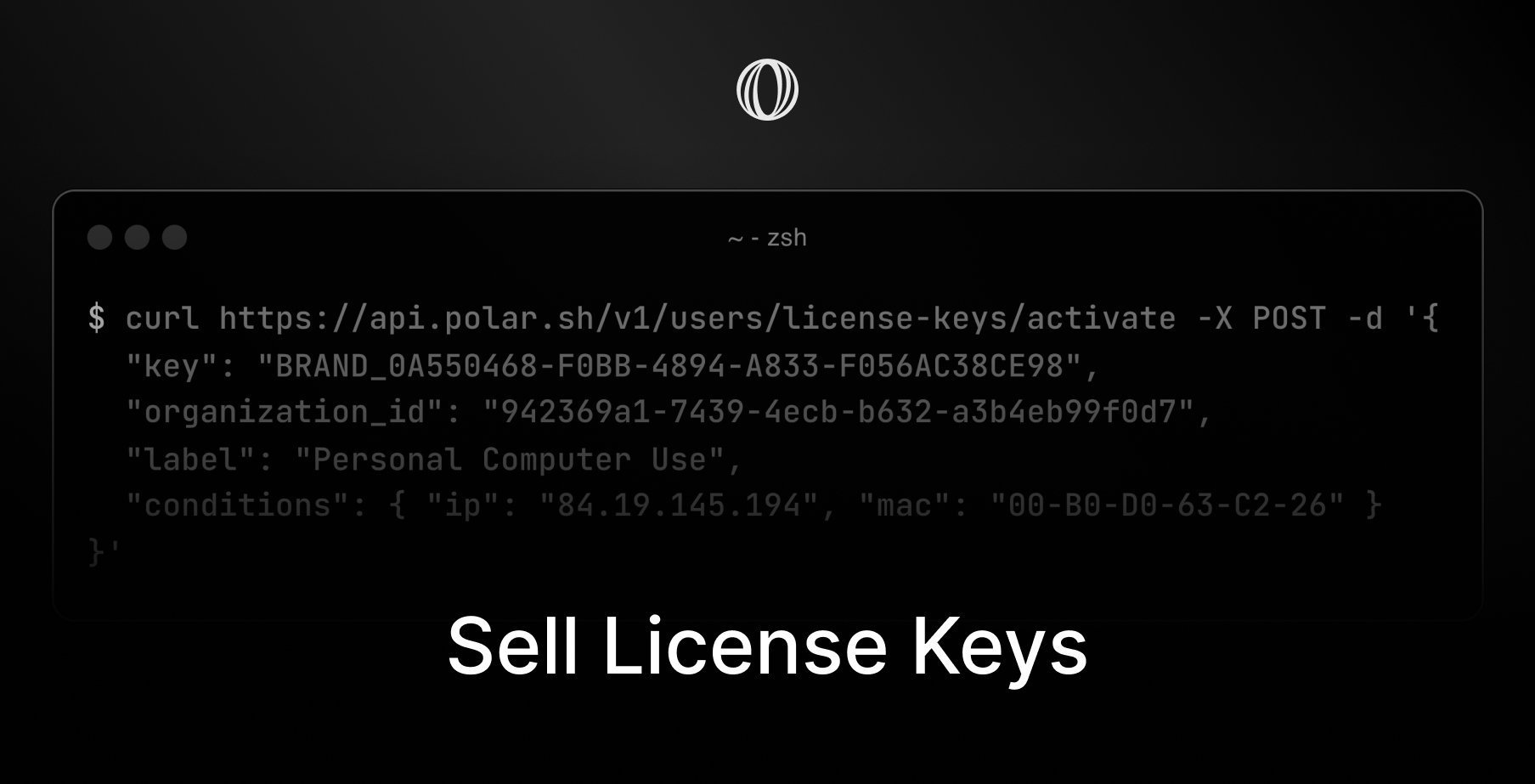 Shipping a desktop app, a CLI, a plugin, or a paid API? You need a way to prove a customer is entitled to use it. Macropay turns that into a checkbox: attach a **License Keys** benefit to any product, and every buyer is automatically issued a unique key the moment they pay — backed by a validation endpoint you call at runtime.
Because Macropay is your **merchant of record**, the same flow also handles global sales tax and VAT, absorbs PCI scope, and lists Macropay as the seller on the customer's statement. You sell access; we handle the financial and compliance plumbing behind it.
## What you get out of the box
| Capability | What it does |
| --------------------- | --------------------------------------------------------------------------------- |
| **Branded prefixes** | Ship keys like `ACME_` so they're recognizable in support tickets and logs |
| **Auto-expiration** | Keys can lapse `N` days, months, or years after purchase |
| **Activation limits** | Cap how many devices, seats, or IPs a key can run on |
| **Custom conditions** | Pin a key to a major version, MAC address, or any value you choose |
| **Usage quotas** | Meter consumption per key and increment it on each validation |
| **Auto-revocation** | A cancelled subscription instantly invalidates its key |
No key server to host, no expiry cron to babysit, no admin panel to build for self-service.
## Create the benefit
Select **Benefits** in the dashboard sidebar.
Click **+ New Benefit**.
Set the **Type** to **License Keys**, then configure the options below.
### Branded prefixes
Give keys a recognizable identity. A prefix of `ACME` produces keys such as `ACME_` — useful when a customer pastes one into a ticket and you want to spot it at a glance.
### Automatic expiration
Want access to lapse a fixed period after purchase? Set an expiry window and Macropay stamps `expires_at` on every issued key. Perpetual-with-updates, annual, or short trial licenses all map cleanly onto this.
### Activation limits
Require a key to be **activated** before it validates. This caps usage to a set number of instances — devices, IPs, CI runners, whatever you define — and lets customers self-manage their slots from the customer portal. No bespoke "manage your devices" screen to build on your side.
### Usage quotas
Reselling LLM tokens, render minutes, or API calls? Attach a usage quota to the key and increment it on each validation. The key carries both `usage` and `limit_usage`, so a single call tells you whether the customer still has headroom.
For consumption that varies in real time — per-token AI spend, metered API traffic — pair license keys with Macropay [usage-based billing](/features/usage-based-billing/introduction). Ingest events through meters, bill on what was actually consumed, and let the license key gate access while the meter handles the math. This is also how teams bill **AI agents** by usage, activity, or outcome.
## What the customer sees
The instant a purchase or subscription clears, the buyer is issued a unique key, visible on their purchases page in the customer portal. From there they can:
* View and copy the key
* Check the expiration date, if one is set
* See remaining usage, if a quota applies
* Deactivate activations, if activation limits are enabled
It's a self-serve surface you get for free — no portal to design, host, or maintain.
## Integrate the API
Wiring license keys into your app, library, or API takes two endpoints: an optional **activate** call and a **validate** call you run each session.
### Step 1 — Activate (only with activation limits)
If a benefit caps activation instances, register an activation before the key can validate. Each activation represents one device, seat, or environment counting against the limit.
No activation limit configured? Skip straight to validation.
```bash Terminal theme={null}
curl -X POST https://api.macropay.ai/v1/customer-portal/license-keys/activate \
-H "Content-Type: application/json" \
-d '{
"key": "1C285B2D-6CE6-4BC7-B8BE-ADB6A7E304DA",
"organization_id": "fda84e25-7b55-4d67-916d-60ead04ff61f",
"label": "macbook-pro-ci",
"conditions": { "major_version": 4 },
"meta": { "ip": "84.19.145.194" }
}'
```
The customer's license key, captured from input in your app.
Your organization ID, found in your dashboard settings.
A human-readable label for this activation, e.g. the machine or environment name.
Custom values to re-check on future validations — IP, MAC address, major version, and so on.
Arbitrary metadata to store alongside the activation.
#### Response (200 OK)
```json theme={null}
{
"id": "b6724bc8-7ad9-4ca0-b143-7c896fcbb6fe",
"license_key_id": "508176f7-065a-4b5d-b524-4e9c8a11ed63",
"label": "macbook-pro-ci",
"meta": {
"ip": "84.19.145.194"
},
"created_at": "2024-09-02T13:48:13.251621Z",
"modified_at": null,
"license_key": {
"id": "508176f7-065a-4b5d-b524-4e9c8a11ed63",
"organization_id": "fda84e25-7b55-4d67-916d-60ead04ff61f",
"user_id": "d910050c-be66-4ca0-b4cc-34fde514f227",
"benefit_id": "32a8eda4-56cf-4a94-8228-792d324a519e",
"key": "1C285B2D-6CE6-4BC7-B8BE-ADB6A7E304DA",
"display_key": "****-E304DA",
"status": "granted",
"limit_activations": 3,
"usage": 0,
"limit_usage": 100,
"validations": 0,
"last_validated_at": null,
"expires_at": "2026-08-30T08:40:34.769148Z"
}
}
```
Hold onto the returned activation `id` — you'll pass it as `activation_id` when you validate.
### Step 2 — Validate
Validate the key on each session of your app, library, or API through the
[validate endpoint](/api-reference/customer-portal/license-keys/validate). This is also where you increment usage when a quota applies.
```bash Terminal theme={null}
curl -X POST https://api.macropay.ai/v1/customer-portal/license-keys/validate \
-H "Content-Type: application/json" \
-d '{
"key": "1C285B2D-6CE6-4BC7-B8BE-ADB6A7E304DA",
"organization_id": "fda84e25-7b55-4d67-916d-60ead04ff61f",
"activation_id": "b6724bc8-7ad9-4ca0-b143-7c896fcbb6fe",
"conditions": { "major_version": 4 },
"increment_usage": 15
}'
```
The customer's license key, captured from input in your app.
Your organization ID, found in your dashboard settings.
The activation to validate against. Required when activation limits are enabled and in use (see Step 1).
When validating an activation, pass the same conditions object you registered it with.
Amount to add to the key's usage counter on this validation.
#### Response (200 OK)
```json theme={null}
{
"id": "508176f7-065a-4b5d-b524-4e9c8a11ed63",
"organization_id": "fda84e25-7b55-4d67-916d-60ead04ff61f",
"user_id": "d910050c-be66-4ca0-b4cc-34fde514f227",
"benefit_id": "32a8eda4-56cf-4a94-8228-792d324a519e",
"key": "1C285B2D-6CE6-4BC7-B8BE-ADB6A7E304DA",
"display_key": "****-E304DA",
"status": "granted",
"limit_activations": 3,
"usage": 15,
"limit_usage": 100,
"validations": 5,
"last_validated_at": "2024-09-02T13:57:00.977363Z",
"expires_at": "2026-08-30T08:40:34.769148Z",
"activation": {
"id": "b6724bc8-7ad9-4ca0-b143-7c896fcbb6fe",
"license_key_id": "508176f7-065a-4b5d-b524-4e9c8a11ed63",
"label": "macbook-pro-ci",
"meta": {
"ip": "84.19.145.194"
},
"created_at": "2024-09-02T13:48:13.251621Z",
"modified_at": null
}
}
```
A `granted` status means the key is live; check `expires_at` and the `usage` / `limit_usage` pair to decide whether to unlock your feature.
**Always send `organization_id`.** It scopes validation to your organization so a key issued by one Macropay organization can never be accepted by another. If you ship more than one license-key product, also check the `benefit_id` on the response to confirm the key belongs to the specific product you're gating — Macropay won't disambiguate that for you.
Shipping a desktop app, a CLI, a plugin, or a paid API? You need a way to prove a customer is entitled to use it. Macropay turns that into a checkbox: attach a **License Keys** benefit to any product, and every buyer is automatically issued a unique key the moment they pay — backed by a validation endpoint you call at runtime.
Because Macropay is your **merchant of record**, the same flow also handles global sales tax and VAT, absorbs PCI scope, and lists Macropay as the seller on the customer's statement. You sell access; we handle the financial and compliance plumbing behind it.
## What you get out of the box
| Capability | What it does |
| --------------------- | --------------------------------------------------------------------------------- |
| **Branded prefixes** | Ship keys like `ACME_` so they're recognizable in support tickets and logs |
| **Auto-expiration** | Keys can lapse `N` days, months, or years after purchase |
| **Activation limits** | Cap how many devices, seats, or IPs a key can run on |
| **Custom conditions** | Pin a key to a major version, MAC address, or any value you choose |
| **Usage quotas** | Meter consumption per key and increment it on each validation |
| **Auto-revocation** | A cancelled subscription instantly invalidates its key |
No key server to host, no expiry cron to babysit, no admin panel to build for self-service.
## Create the benefit
Select **Benefits** in the dashboard sidebar.
Click **+ New Benefit**.
Set the **Type** to **License Keys**, then configure the options below.
### Branded prefixes
Give keys a recognizable identity. A prefix of `ACME` produces keys such as `ACME_` — useful when a customer pastes one into a ticket and you want to spot it at a glance.
### Automatic expiration
Want access to lapse a fixed period after purchase? Set an expiry window and Macropay stamps `expires_at` on every issued key. Perpetual-with-updates, annual, or short trial licenses all map cleanly onto this.
### Activation limits
Require a key to be **activated** before it validates. This caps usage to a set number of instances — devices, IPs, CI runners, whatever you define — and lets customers self-manage their slots from the customer portal. No bespoke "manage your devices" screen to build on your side.
### Usage quotas
Reselling LLM tokens, render minutes, or API calls? Attach a usage quota to the key and increment it on each validation. The key carries both `usage` and `limit_usage`, so a single call tells you whether the customer still has headroom.
For consumption that varies in real time — per-token AI spend, metered API traffic — pair license keys with Macropay [usage-based billing](/features/usage-based-billing/introduction). Ingest events through meters, bill on what was actually consumed, and let the license key gate access while the meter handles the math. This is also how teams bill **AI agents** by usage, activity, or outcome.
## What the customer sees
The instant a purchase or subscription clears, the buyer is issued a unique key, visible on their purchases page in the customer portal. From there they can:
* View and copy the key
* Check the expiration date, if one is set
* See remaining usage, if a quota applies
* Deactivate activations, if activation limits are enabled
It's a self-serve surface you get for free — no portal to design, host, or maintain.
## Integrate the API
Wiring license keys into your app, library, or API takes two endpoints: an optional **activate** call and a **validate** call you run each session.
### Step 1 — Activate (only with activation limits)
If a benefit caps activation instances, register an activation before the key can validate. Each activation represents one device, seat, or environment counting against the limit.
No activation limit configured? Skip straight to validation.
```bash Terminal theme={null}
curl -X POST https://api.macropay.ai/v1/customer-portal/license-keys/activate \
-H "Content-Type: application/json" \
-d '{
"key": "1C285B2D-6CE6-4BC7-B8BE-ADB6A7E304DA",
"organization_id": "fda84e25-7b55-4d67-916d-60ead04ff61f",
"label": "macbook-pro-ci",
"conditions": { "major_version": 4 },
"meta": { "ip": "84.19.145.194" }
}'
```
The customer's license key, captured from input in your app.
Your organization ID, found in your dashboard settings.
A human-readable label for this activation, e.g. the machine or environment name.
Custom values to re-check on future validations — IP, MAC address, major version, and so on.
Arbitrary metadata to store alongside the activation.
#### Response (200 OK)
```json theme={null}
{
"id": "b6724bc8-7ad9-4ca0-b143-7c896fcbb6fe",
"license_key_id": "508176f7-065a-4b5d-b524-4e9c8a11ed63",
"label": "macbook-pro-ci",
"meta": {
"ip": "84.19.145.194"
},
"created_at": "2024-09-02T13:48:13.251621Z",
"modified_at": null,
"license_key": {
"id": "508176f7-065a-4b5d-b524-4e9c8a11ed63",
"organization_id": "fda84e25-7b55-4d67-916d-60ead04ff61f",
"user_id": "d910050c-be66-4ca0-b4cc-34fde514f227",
"benefit_id": "32a8eda4-56cf-4a94-8228-792d324a519e",
"key": "1C285B2D-6CE6-4BC7-B8BE-ADB6A7E304DA",
"display_key": "****-E304DA",
"status": "granted",
"limit_activations": 3,
"usage": 0,
"limit_usage": 100,
"validations": 0,
"last_validated_at": null,
"expires_at": "2026-08-30T08:40:34.769148Z"
}
}
```
Hold onto the returned activation `id` — you'll pass it as `activation_id` when you validate.
### Step 2 — Validate
Validate the key on each session of your app, library, or API through the
[validate endpoint](/api-reference/customer-portal/license-keys/validate). This is also where you increment usage when a quota applies.
```bash Terminal theme={null}
curl -X POST https://api.macropay.ai/v1/customer-portal/license-keys/validate \
-H "Content-Type: application/json" \
-d '{
"key": "1C285B2D-6CE6-4BC7-B8BE-ADB6A7E304DA",
"organization_id": "fda84e25-7b55-4d67-916d-60ead04ff61f",
"activation_id": "b6724bc8-7ad9-4ca0-b143-7c896fcbb6fe",
"conditions": { "major_version": 4 },
"increment_usage": 15
}'
```
The customer's license key, captured from input in your app.
Your organization ID, found in your dashboard settings.
The activation to validate against. Required when activation limits are enabled and in use (see Step 1).
When validating an activation, pass the same conditions object you registered it with.
Amount to add to the key's usage counter on this validation.
#### Response (200 OK)
```json theme={null}
{
"id": "508176f7-065a-4b5d-b524-4e9c8a11ed63",
"organization_id": "fda84e25-7b55-4d67-916d-60ead04ff61f",
"user_id": "d910050c-be66-4ca0-b4cc-34fde514f227",
"benefit_id": "32a8eda4-56cf-4a94-8228-792d324a519e",
"key": "1C285B2D-6CE6-4BC7-B8BE-ADB6A7E304DA",
"display_key": "****-E304DA",
"status": "granted",
"limit_activations": 3,
"usage": 15,
"limit_usage": 100,
"validations": 5,
"last_validated_at": "2024-09-02T13:57:00.977363Z",
"expires_at": "2026-08-30T08:40:34.769148Z",
"activation": {
"id": "b6724bc8-7ad9-4ca0-b143-7c896fcbb6fe",
"license_key_id": "508176f7-065a-4b5d-b524-4e9c8a11ed63",
"label": "macbook-pro-ci",
"meta": {
"ip": "84.19.145.194"
},
"created_at": "2024-09-02T13:48:13.251621Z",
"modified_at": null
}
}
```
A `granted` status means the key is live; check `expires_at` and the `usage` / `limit_usage` pair to decide whether to unlock your feature.
**Always send `organization_id`.** It scopes validation to your organization so a key issued by one Macropay organization can never be accepted by another. If you ship more than one license-key product, also check the `benefit_id` on the response to confirm the key belongs to the specific product you're gating — Macropay won't disambiguate that for you.