> ## Documentation Index
> Fetch the complete documentation index at: https://docs.macropay.ai/llms.txt
> Use this file to discover all available pages before exploring further.
# Checkout API
> Build your own checkout flow and let us handle tax, fraud, and PCI as merchant of record.
When the hosted page and embed aren't enough, the Checkout API hands you the building block underneath them: a **checkout session**. You decide what the customer buys and where they land; Macropay returns a ready-to-use payment URL and, because we act as **merchant of record**, takes on sales tax and VAT collection, PCI scope, and dispute handling on the order that follows.
## What you'll need
A session needs only one thing to start: a **Product ID**. Grab it from **Products** in your [dashboard](https://app.macropay.ai) — open the context menu next to a product and choose **Copy Product ID**.
Pass that ID to [create a checkout session](/api-reference/checkouts/create-session). The response is a session object describing the order, including a **`url`** field. Redirect the customer there to complete payment; card details are entered on our **PCI DSS Level 1 compliant** checkout, never your servers.
```ts TypeScript theme={null}
import { Macropay } from "@macropayments/sdk";
const macropay = new Macropay({
accessToken: process.env["MACROPAY_ACCESS_TOKEN"] ?? "",
});
async function run() {
const checkout = await macropay.checkouts.create({
products: ["prod_pro_plan"],
});
// Send the customer here to pay
console.log(checkout.url);
}
run();
```
```py Python theme={null}
from macropay_sdk import Macropay
with Macropay(
access_token="",
) as macropay:
checkout = macropay.checkouts.create(request={
"products": ["prod_pro_plan"],
"allow_discount_codes": True,
})
# Send the customer here to pay
print(checkout.url)
```
## Offer several products in one session
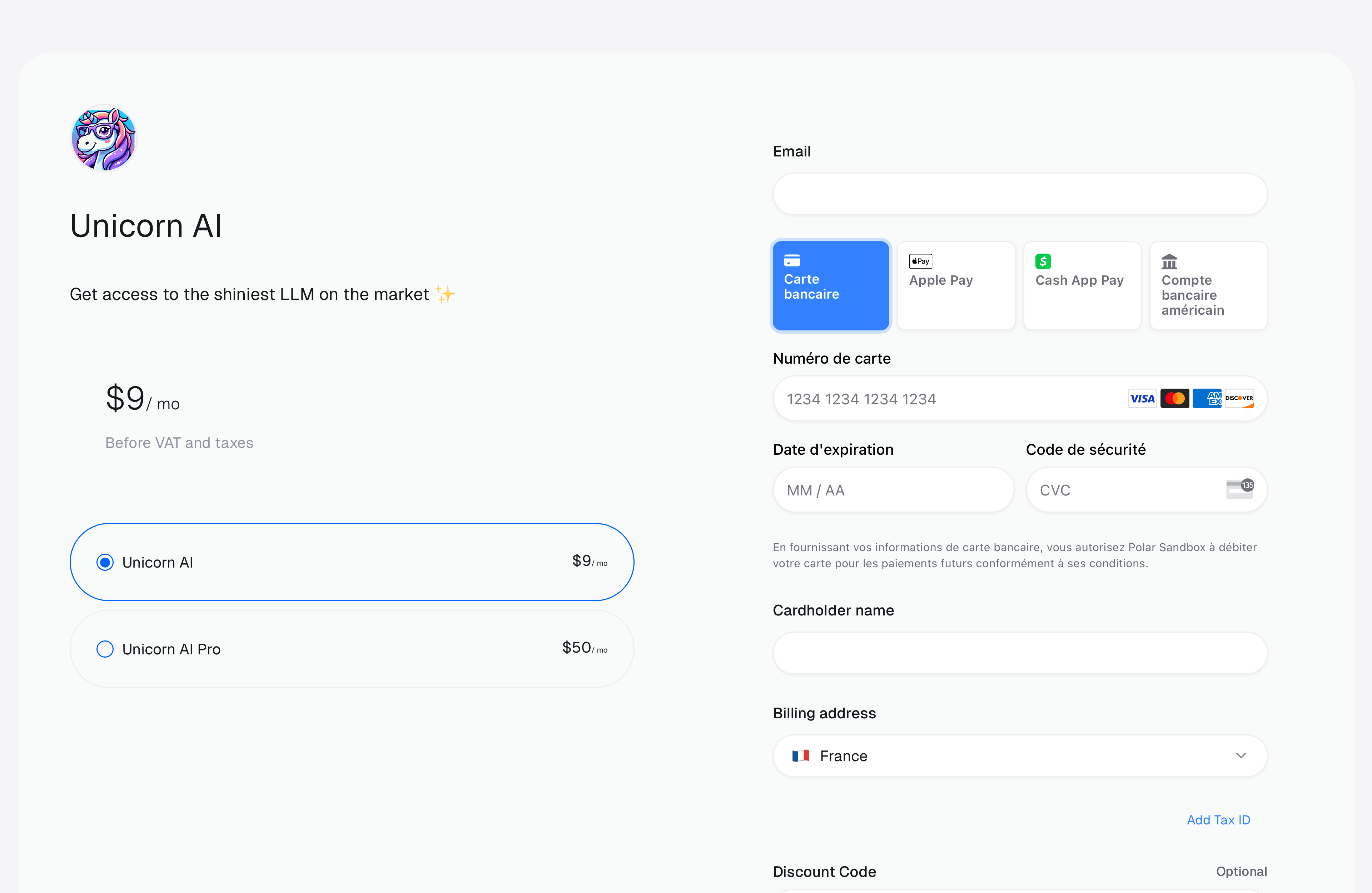
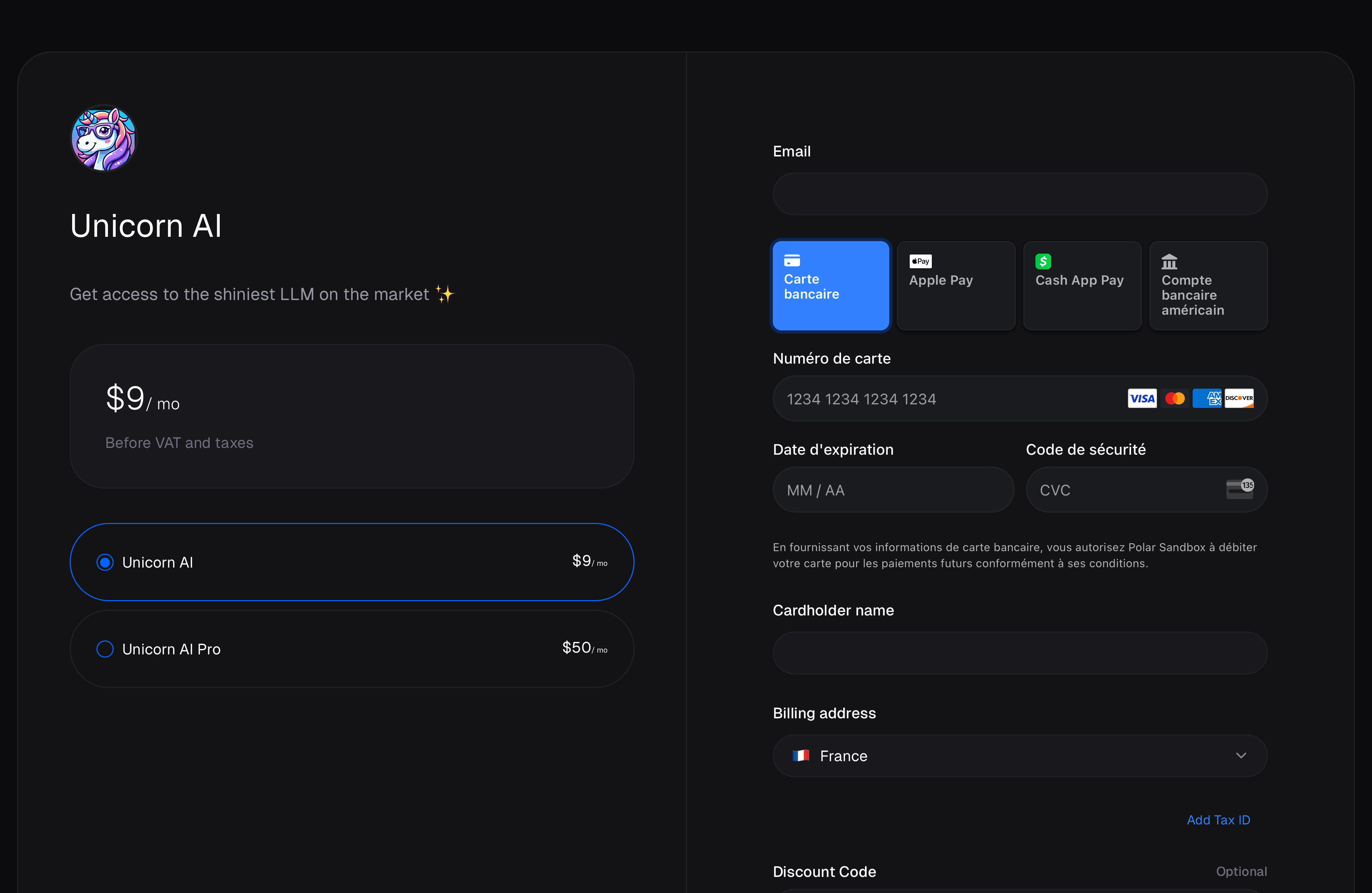
Pass more than one Product ID and the checkout lets the customer pick before they pay — handy for "Starter vs. Pro vs. Team" selectors or add-on bundles without building the comparison UI yourself.
 ## Ad-hoc prices
Sometimes the price isn't known until checkout time — a negotiated enterprise rate, a calculated quote, or a one-off you don't want cluttering your catalog. Pass a `prices` map and Macropay mints the price **on the fly**, scoped to that single session only.
Reach for ad-hoc prices when you need to:
* Quote a per-customer or contract-negotiated amount
* Compute a total from your own logic before redirecting
* Run a pricing experiment without touching the live catalog
* Bill a calculated, usage-derived amount for that one order
In the API response, ad-hoc prices carry `source: "ad_hoc"`, while catalog prices show `source: "catalog"`. Ad-hoc prices live and die with their session — they're never added to the product.
### Example
This session charges a custom **\$149.00** rate for a single product:
```ts TypeScript theme={null}
import { Macropay } from "@macropayments/sdk";
const macropay = new Macropay({
accessToken: process.env["MACROPAY_ACCESS_TOKEN"] ?? "",
});
async function run() {
const checkout = await macropay.checkouts.create({
products: ["prod_consulting"],
prices: {
"prod_consulting": [
{
amountType: "fixed",
priceAmount: 14900, // $149.00, amounts are in cents
priceCurrency: "usd",
}
]
}
});
console.log(checkout.url);
}
run();
```
```py Python theme={null}
from macropay_sdk import Macropay
with Macropay(
access_token="",
) as macropay:
checkout = macropay.checkouts.create(request={
"products": ["prod_consulting"],
"prices": {
"prod_consulting": [
{
"amount_type": "fixed",
"price_amount": 14900, # $149.00, amounts are in cents
"price_currency": "usd",
}
]
}
})
print(checkout.url)
```
### Supported price types
Ad-hoc prices accept the same `amountType` values as catalog prices:
| Type | `amountType` | Use it for |
| ----------------- | ------------ | ---------------------- |
| Fixed | `fixed` | A set amount |
| Pay-what-you-want | `custom` | Customer-chosen amount |
| Free | `free` | No charge |
| Seat-based | `seat-based` | Per-seat pricing |
| Metered | `metered` | Usage tied to a meter |
The full schema for each type lives in the [Checkout API reference](/api-reference/checkouts/create-session).
Metered ad-hoc prices pair naturally with AI and agent products: meter the tokens, actions, or **outcomes** an agent delivers, attach a metered price, and the session bills exactly what was consumed. See [usage-based billing](/features/usage-based-billing/introduction) for meters, credits, and event ingestion.
## Reconcile with your own users
Most apps already have a user table. Pass your identifier in [`external_customer_id`](/api-reference/checkouts/create-session/) and Macropay threads it through the whole order so you never have to keep two ID systems in sync.
After a successful checkout we create (or match) a Customer with that external ID, and surface it as `customer.external_id` on every related [webhook](/integrate/webhooks/endpoints) — so your fulfillment logic can map the payment straight back to the right account.
## What we handle after the session
Because Macropay is the **seller of record** on the resulting order:
* **Tax is ours.** We calculate, collect, and remit sales tax and VAT worldwide, and limit your liability for it.
* **PCI is ours.** Cards are tokenized in our PCI DSS Level 1 compliant vault — they never touch your stack.
* **Disputes are ours.** We field chargebacks and work to prevent them before they hit.
You get a session URL; we get everything that makes global payments painful.
## Ad-hoc prices
Sometimes the price isn't known until checkout time — a negotiated enterprise rate, a calculated quote, or a one-off you don't want cluttering your catalog. Pass a `prices` map and Macropay mints the price **on the fly**, scoped to that single session only.
Reach for ad-hoc prices when you need to:
* Quote a per-customer or contract-negotiated amount
* Compute a total from your own logic before redirecting
* Run a pricing experiment without touching the live catalog
* Bill a calculated, usage-derived amount for that one order
In the API response, ad-hoc prices carry `source: "ad_hoc"`, while catalog prices show `source: "catalog"`. Ad-hoc prices live and die with their session — they're never added to the product.
### Example
This session charges a custom **\$149.00** rate for a single product:
```ts TypeScript theme={null}
import { Macropay } from "@macropayments/sdk";
const macropay = new Macropay({
accessToken: process.env["MACROPAY_ACCESS_TOKEN"] ?? "",
});
async function run() {
const checkout = await macropay.checkouts.create({
products: ["prod_consulting"],
prices: {
"prod_consulting": [
{
amountType: "fixed",
priceAmount: 14900, // $149.00, amounts are in cents
priceCurrency: "usd",
}
]
}
});
console.log(checkout.url);
}
run();
```
```py Python theme={null}
from macropay_sdk import Macropay
with Macropay(
access_token="",
) as macropay:
checkout = macropay.checkouts.create(request={
"products": ["prod_consulting"],
"prices": {
"prod_consulting": [
{
"amount_type": "fixed",
"price_amount": 14900, # $149.00, amounts are in cents
"price_currency": "usd",
}
]
}
})
print(checkout.url)
```
### Supported price types
Ad-hoc prices accept the same `amountType` values as catalog prices:
| Type | `amountType` | Use it for |
| ----------------- | ------------ | ---------------------- |
| Fixed | `fixed` | A set amount |
| Pay-what-you-want | `custom` | Customer-chosen amount |
| Free | `free` | No charge |
| Seat-based | `seat-based` | Per-seat pricing |
| Metered | `metered` | Usage tied to a meter |
The full schema for each type lives in the [Checkout API reference](/api-reference/checkouts/create-session).
Metered ad-hoc prices pair naturally with AI and agent products: meter the tokens, actions, or **outcomes** an agent delivers, attach a metered price, and the session bills exactly what was consumed. See [usage-based billing](/features/usage-based-billing/introduction) for meters, credits, and event ingestion.
## Reconcile with your own users
Most apps already have a user table. Pass your identifier in [`external_customer_id`](/api-reference/checkouts/create-session/) and Macropay threads it through the whole order so you never have to keep two ID systems in sync.
After a successful checkout we create (or match) a Customer with that external ID, and surface it as `customer.external_id` on every related [webhook](/integrate/webhooks/endpoints) — so your fulfillment logic can map the payment straight back to the right account.
## What we handle after the session
Because Macropay is the **seller of record** on the resulting order:
* **Tax is ours.** We calculate, collect, and remit sales tax and VAT worldwide, and limit your liability for it.
* **PCI is ours.** Cards are tokenized in our PCI DSS Level 1 compliant vault — they never touch your stack.
* **Disputes are ours.** We field chargebacks and work to prevent them before they hit.
You get a session URL; we get everything that makes global payments painful.