> ## Documentation Index
> Fetch the complete documentation index at: https://docs.macropay.ai/llms.txt
> Use this file to discover all available pages before exploring further.
# Customer Management
> A single source of truth for every buyer — orders, subscriptions, metadata, and your own IDs.
Every successful sale leaves you with a customer to know, bill, and keep. Macropay records each buyer as a first-class **Customer** on your organization, so you have one durable profile that ties together their orders, active subscriptions, and the lifetime metrics behind them — no extra schema to maintain on your side.
Because Macropay is the **merchant of record**, that profile also carries the parts most teams dread: we collect and remit the right sales tax or VAT on every order, appear as the seller on the buyer's statement, and absorb the PCI and dispute handling. The customer record you see is the clean, reconciled output of all of it.
 ## What a customer record gives you
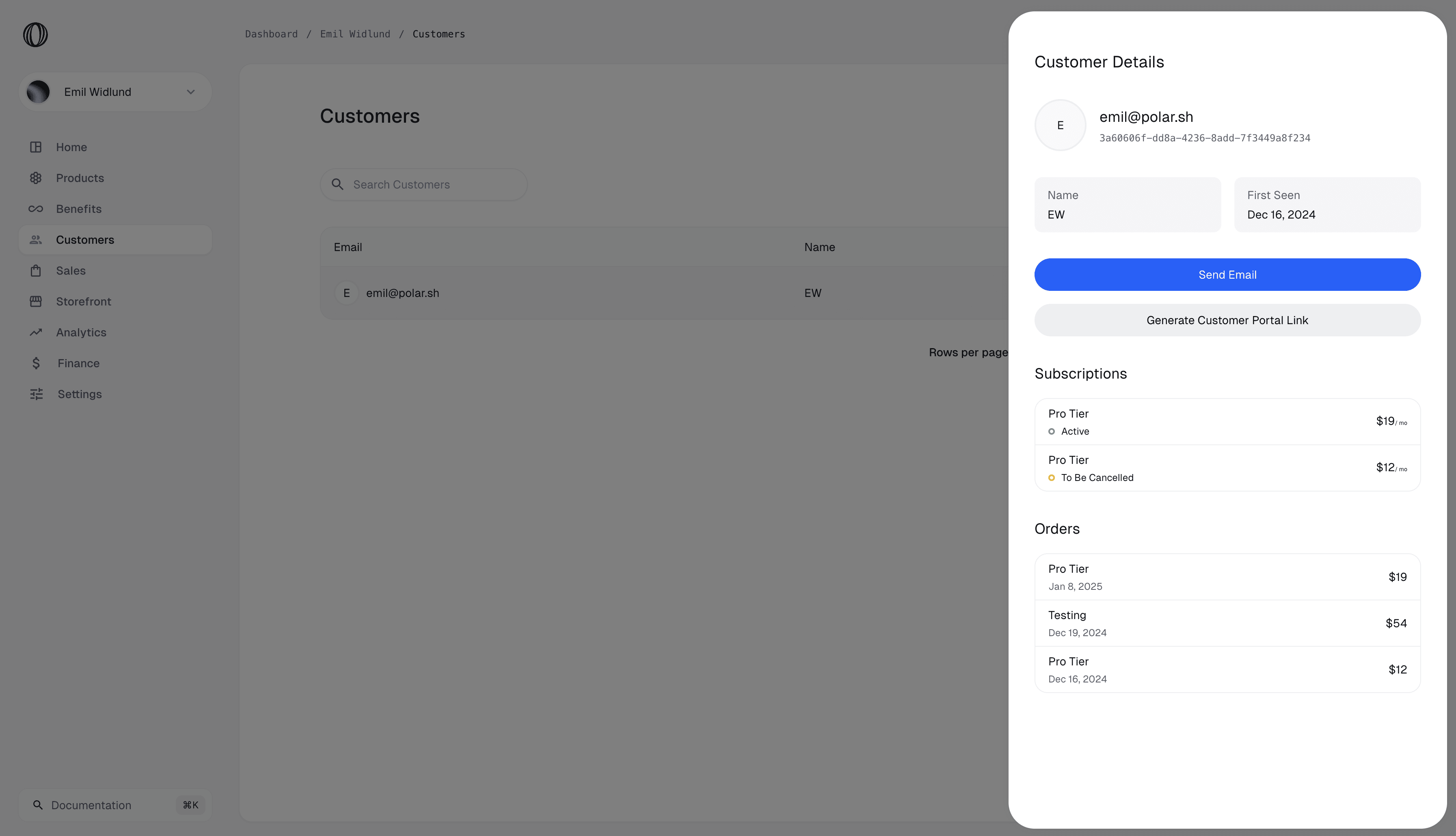
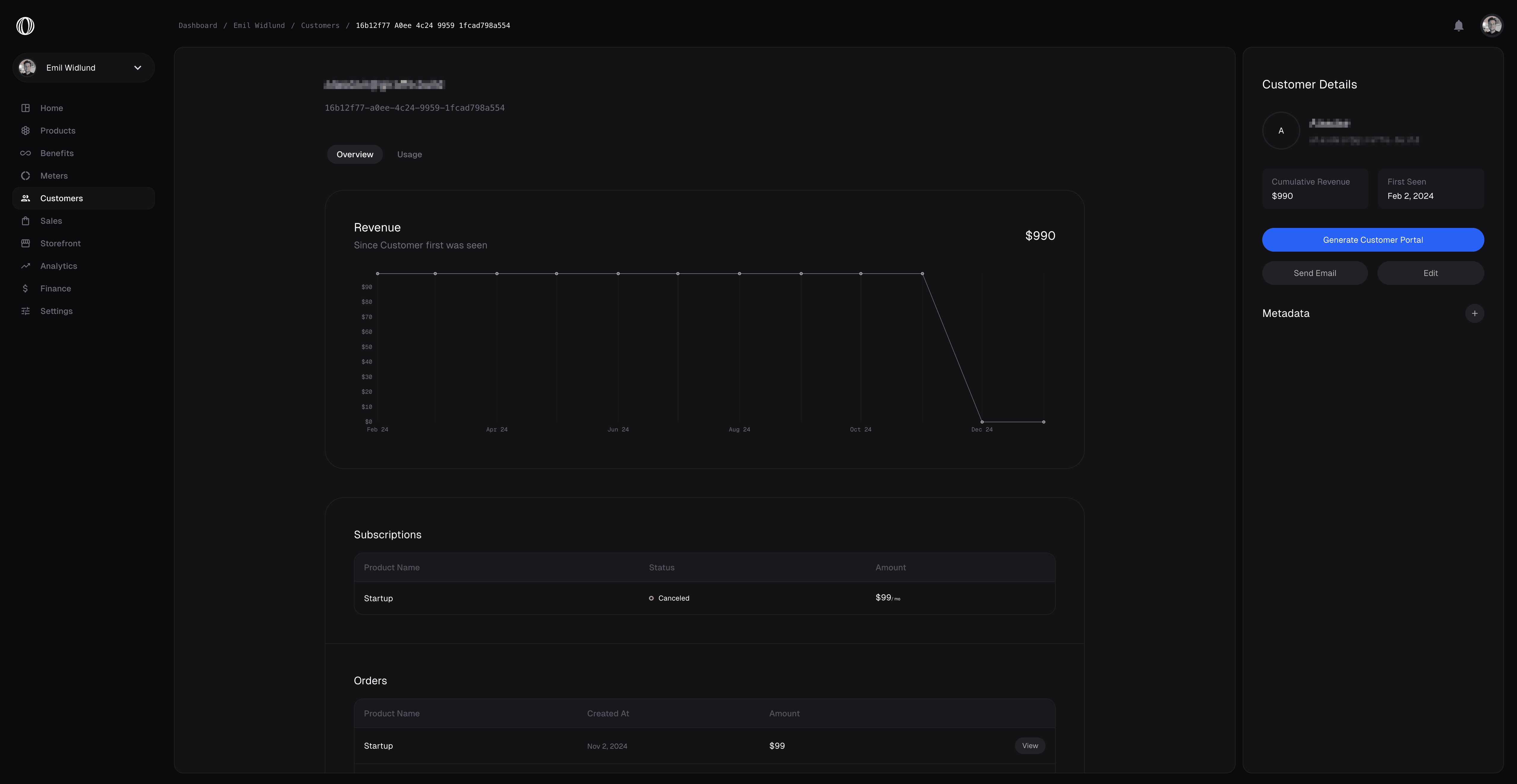
Open any customer in the [dashboard](https://app.macropay.ai) and you get a consolidated view of their relationship with your business:
* **Order history** — every one-time purchase and renewal, with tax already accounted for.
* **Active subscriptions** — current plans, seats, and renewal state.
* **Lifetime metrics** — totals and trends that show how each buyer is performing.
For AI and agent products, the same record anchors usage- and outcome-based billing: metered events, ingested signals, and value receipts all attach back to the customer they belong to, so revenue and AI cost reconcile per buyer.
## Link customers with your own `external_id`
Most applications already have a user table with their own primary key. Rather than forcing you to store and map Macropay's internal ID, every Customer carries an [`external_id`](/api-reference/customers/get-external#response-external-id) — the ID *you* assign. It is unique within your organization and, once set, is immutable, which makes it a safe join key for reconciliation.
The full set of customer operations has dedicated variants keyed on `external_id`, so you can read, update, and delete buyers using only the identifier your system already knows.
Set `external_id` at the moment the customer is created — for example, the user's
UUID from your own database — and you never have to persist a Macropay ID anywhere.
Every webhook and API call can round-trip on the ID you already own.
## Attach your own metadata
Customers support arbitrary **metadata**: a flexible key/value bag for anything you want to travel alongside the buyer through the API and webhooks. Common uses include the originating workspace, a plan tier, a referral source, or the internal account a buyer rolls up to.
## What a customer record gives you
Open any customer in the [dashboard](https://app.macropay.ai) and you get a consolidated view of their relationship with your business:
* **Order history** — every one-time purchase and renewal, with tax already accounted for.
* **Active subscriptions** — current plans, seats, and renewal state.
* **Lifetime metrics** — totals and trends that show how each buyer is performing.
For AI and agent products, the same record anchors usage- and outcome-based billing: metered events, ingested signals, and value receipts all attach back to the customer they belong to, so revenue and AI cost reconcile per buyer.
## Link customers with your own `external_id`
Most applications already have a user table with their own primary key. Rather than forcing you to store and map Macropay's internal ID, every Customer carries an [`external_id`](/api-reference/customers/get-external#response-external-id) — the ID *you* assign. It is unique within your organization and, once set, is immutable, which makes it a safe join key for reconciliation.
The full set of customer operations has dedicated variants keyed on `external_id`, so you can read, update, and delete buyers using only the identifier your system already knows.
Set `external_id` at the moment the customer is created — for example, the user's
UUID from your own database — and you never have to persist a Macropay ID anywhere.
Every webhook and API call can round-trip on the ID you already own.
## Attach your own metadata
Customers support arbitrary **metadata**: a flexible key/value bag for anything you want to travel alongside the buyer through the API and webhooks. Common uses include the originating workspace, a plan tier, a referral source, or the internal account a buyer rolls up to.
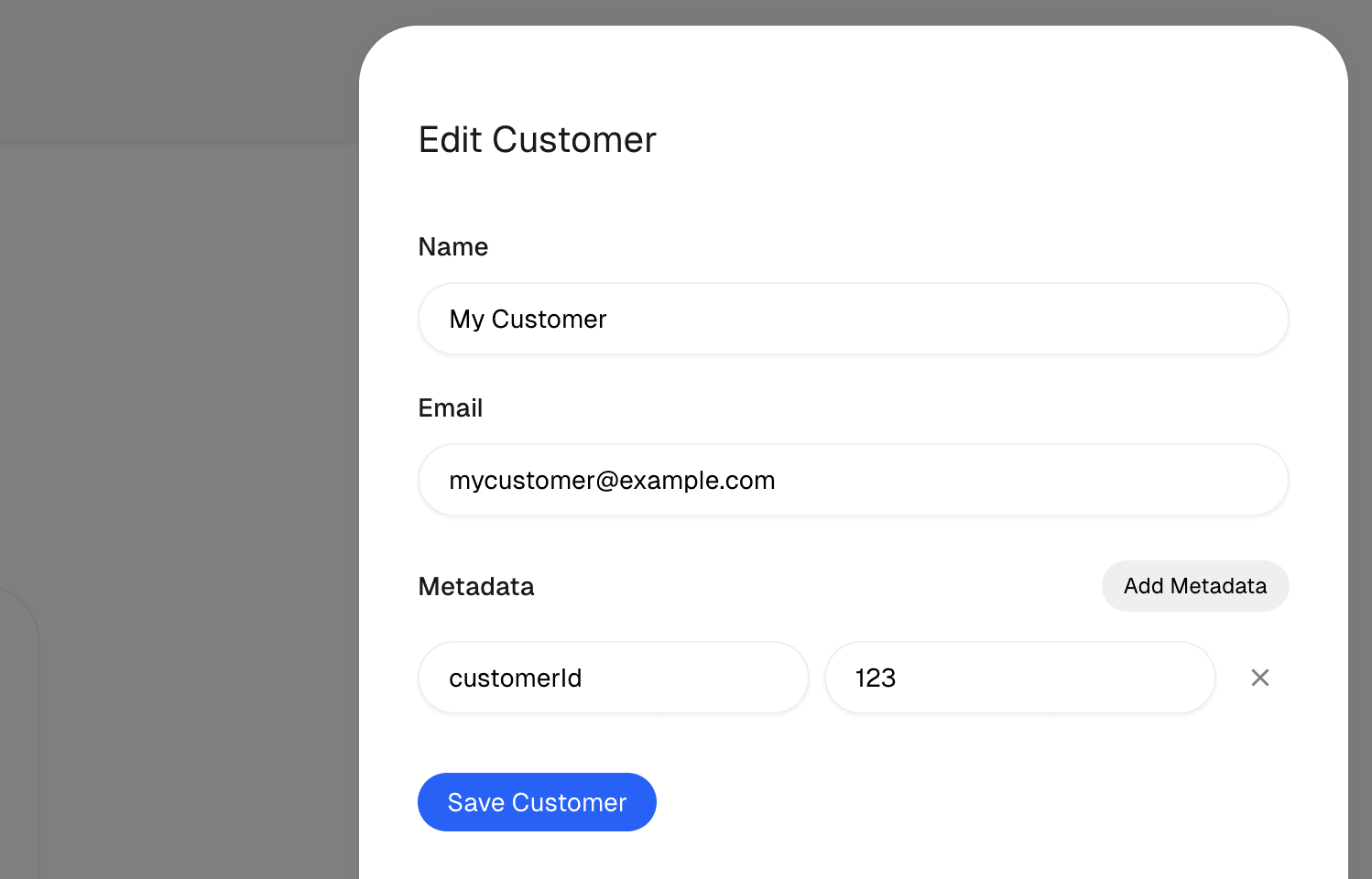
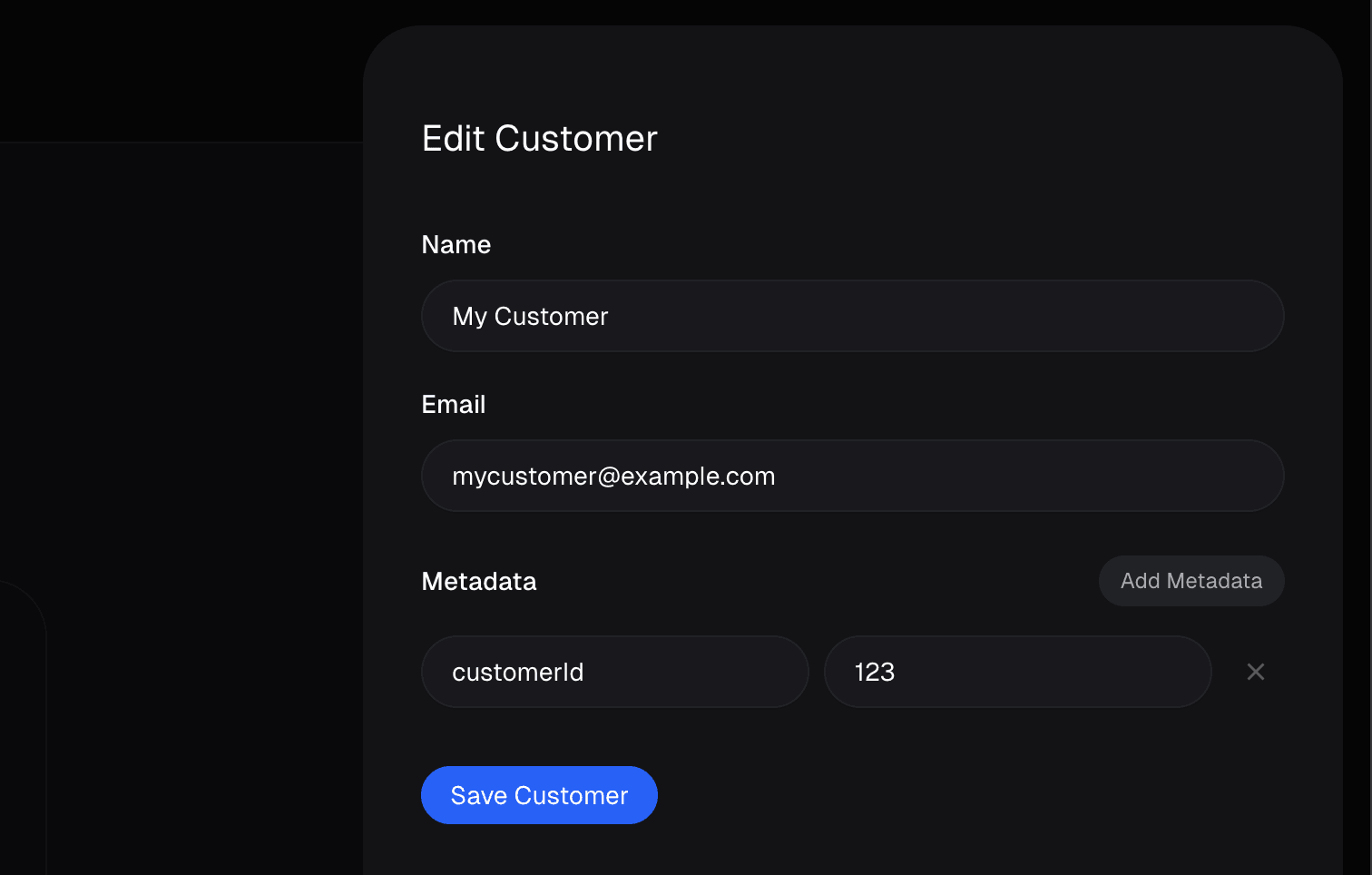 You can edit metadata directly in the dashboard or via the [customer update API](/api-reference/customers/update#body-metadata):
```bash theme={null}
curl -X PATCH https://api.macropay.ai/v1/customers/{id} \
-H "Authorization: Bearer $MACROPAY_API_KEY" \
-H "Content-Type: application/json" \
-d '{
"metadata": {
"workspace_id": "ws_8421",
"plan_tier": "growth",
"referral_source": "raycast"
}
}'
```
### Set metadata at checkout time
You don't have to wait for the customer to exist. Pass [`customer_metadata`](/api-reference/checkouts/create-session#body-customer-metadata) when you create a checkout session, and Macropay applies it to the new Customer the moment the purchase completes — so the buyer arrives in your system already tagged.
```ts theme={null}
import { Macropay } from "@macropay/sdk";
const macropay = new Macropay({ accessToken: process.env.MACROPAY_API_KEY });
const session = await macropay.checkouts.createSession({
products: ["prod_starter_seat"],
customerMetadata: {
workspace_id: "ws_8421",
signup_campaign: "framer-launch",
},
});
```
Metadata is for your own data that you want exposed through the API and webhooks.
It isn't searchable as a full-text index, so prefer structured, predictable keys
(like `workspace_id`) over free-form notes if you plan to reconcile on them later.
You can edit metadata directly in the dashboard or via the [customer update API](/api-reference/customers/update#body-metadata):
```bash theme={null}
curl -X PATCH https://api.macropay.ai/v1/customers/{id} \
-H "Authorization: Bearer $MACROPAY_API_KEY" \
-H "Content-Type: application/json" \
-d '{
"metadata": {
"workspace_id": "ws_8421",
"plan_tier": "growth",
"referral_source": "raycast"
}
}'
```
### Set metadata at checkout time
You don't have to wait for the customer to exist. Pass [`customer_metadata`](/api-reference/checkouts/create-session#body-customer-metadata) when you create a checkout session, and Macropay applies it to the new Customer the moment the purchase completes — so the buyer arrives in your system already tagged.
```ts theme={null}
import { Macropay } from "@macropay/sdk";
const macropay = new Macropay({ accessToken: process.env.MACROPAY_API_KEY });
const session = await macropay.checkouts.createSession({
products: ["prod_starter_seat"],
customerMetadata: {
workspace_id: "ws_8421",
signup_campaign: "framer-launch",
},
});
```
Metadata is for your own data that you want exposed through the API and webhooks.
It isn't searchable as a full-text index, so prefer structured, predictable keys
(like `workspace_id`) over free-form notes if you plan to reconcile on them later.