> ## Documentation Index
> Fetch the complete documentation index at: https://docs.macropay.ai/llms.txt
> Use this file to discover all available pages before exploring further.
# Macropay Integration in Fernand
> Surface Macropay billing, plan, and order history inside Fernand so support agents answer with full context.
 When a customer opens a ticket, the first question an agent asks is almost always the same: *who is this, and what have they paid for?* The Macropay integration for [Fernand](https://getfernand.com/) answers that before anyone types a reply. Plan, payment status, and product access land in the conversation sidebar automatically — and because Macropay is your [Merchant of Record](/merchant-of-record/introduction), the same record that handles tax, invoicing, and disputes is the one your support team reads from. One source of truth, no copy-pasting from a separate billing tool.
## Why connect the two
[Fernand](https://getfernand.com/) is a support inbox built for SaaS — fast, quiet, and designed to take the dread out of a full queue. Wiring it to [Macropay](https://macropay.ai/) turns each conversation into a billing-aware one.
Once connected, every agent can:
* **Confirm status at a glance** — active customer, churned, or never paid.
* **Triage by value** — route `Pro` and `Business` tickets ahead of free-tier noise.
* **See the order trail in context** — purchases, subscriptions, and payment history without leaving the thread.
Because Macropay is the seller of record, the customer data Fernand displays reflects the same orders we tax, invoice, and remit VAT on worldwide. Your agents and your books never drift apart.
## Connect Macropay to Fernand
When a customer opens a ticket, the first question an agent asks is almost always the same: *who is this, and what have they paid for?* The Macropay integration for [Fernand](https://getfernand.com/) answers that before anyone types a reply. Plan, payment status, and product access land in the conversation sidebar automatically — and because Macropay is your [Merchant of Record](/merchant-of-record/introduction), the same record that handles tax, invoicing, and disputes is the one your support team reads from. One source of truth, no copy-pasting from a separate billing tool.
## Why connect the two
[Fernand](https://getfernand.com/) is a support inbox built for SaaS — fast, quiet, and designed to take the dread out of a full queue. Wiring it to [Macropay](https://macropay.ai/) turns each conversation into a billing-aware one.
Once connected, every agent can:
* **Confirm status at a glance** — active customer, churned, or never paid.
* **Triage by value** — route `Pro` and `Business` tickets ahead of free-tier noise.
* **See the order trail in context** — purchases, subscriptions, and payment history without leaving the thread.
Because Macropay is the seller of record, the customer data Fernand displays reflects the same orders we tax, invoice, and remit VAT on worldwide. Your agents and your books never drift apart.
## Connect Macropay to Fernand
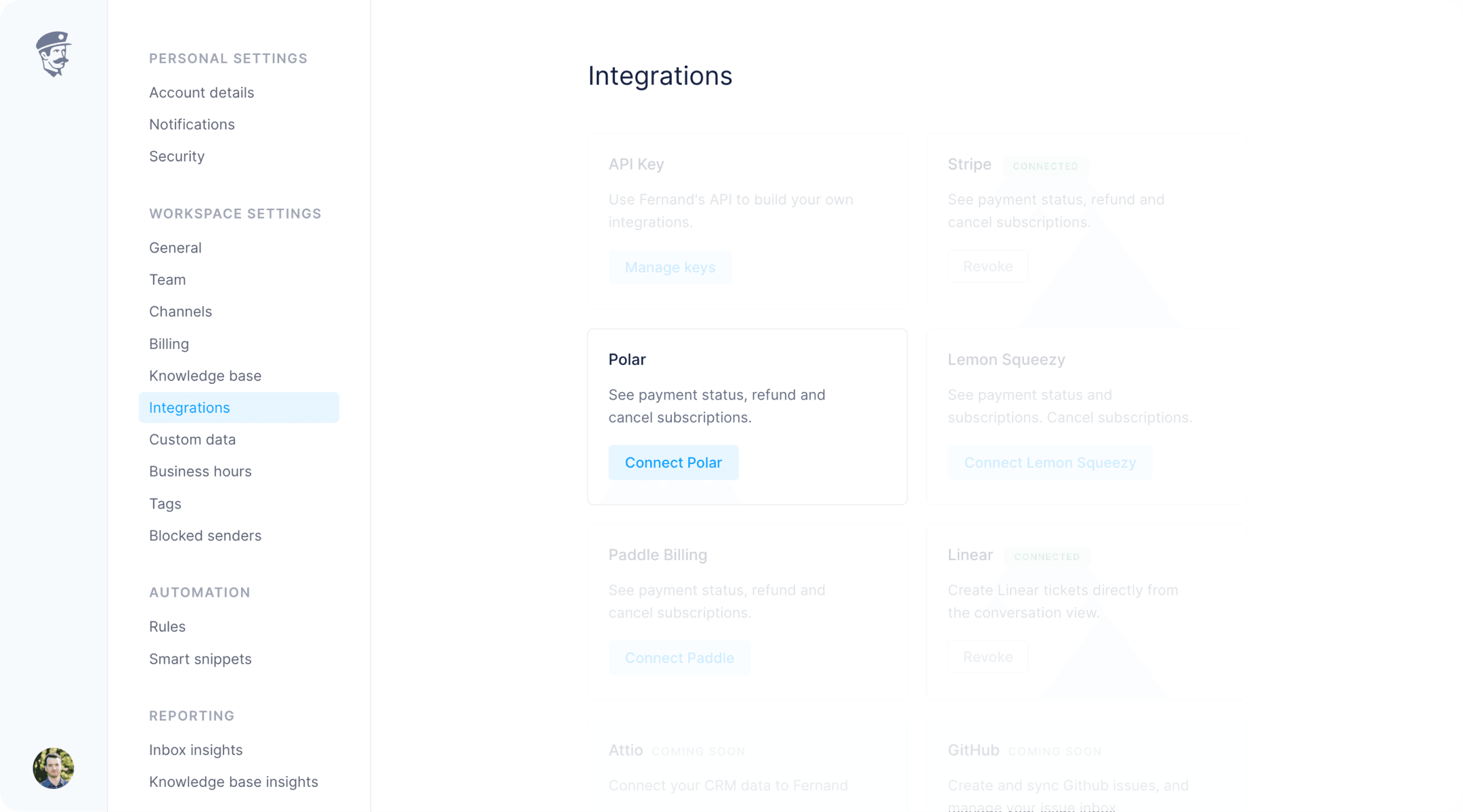 Head to [Integrations](https://app.getfernand.com/settings/organization/integrations) in your Fernand organization settings.
Click **Connect Macropay**. Fernand redirects you to Macropay to authorize the link.
Approve the connection. Fernand begins syncing customer data right away.
That's the whole setup. Macropay customer details now appear in Fernand's conversation list and in the sidebar of every thread.
## Automate the inbox with billing data
The real payoff is rules. With Macropay connected, Fernand can branch on real billing state — not a tag someone remembered to set manually.
Head to [Integrations](https://app.getfernand.com/settings/organization/integrations) in your Fernand organization settings.
Click **Connect Macropay**. Fernand redirects you to Macropay to authorize the link.
Approve the connection. Fernand begins syncing customer data right away.
That's the whole setup. Macropay customer details now appear in Fernand's conversation list and in the sidebar of every thread.
## Automate the inbox with billing data
The real payoff is rules. With Macropay connected, Fernand can branch on real billing state — not a tag someone remembered to set manually.
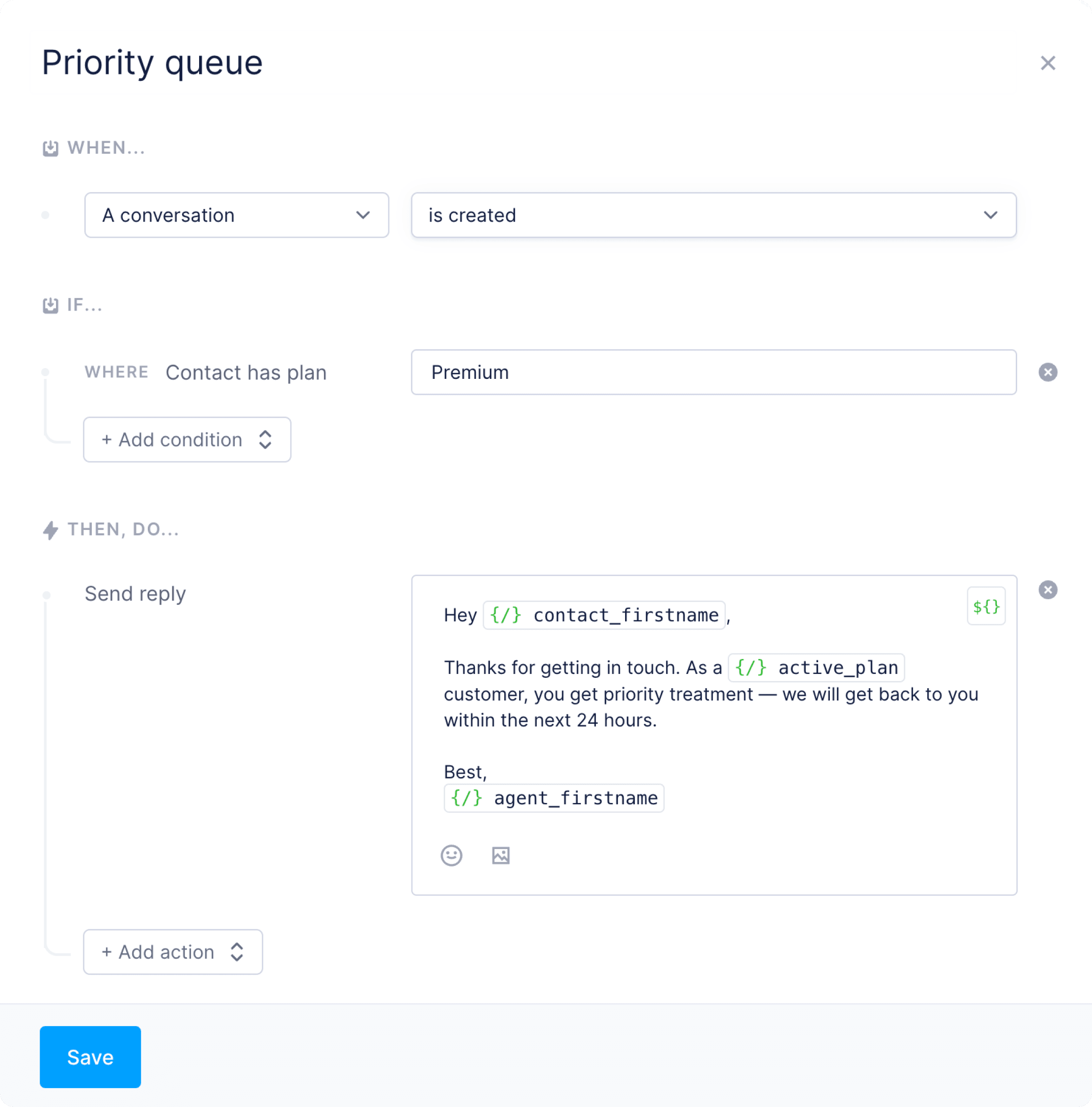
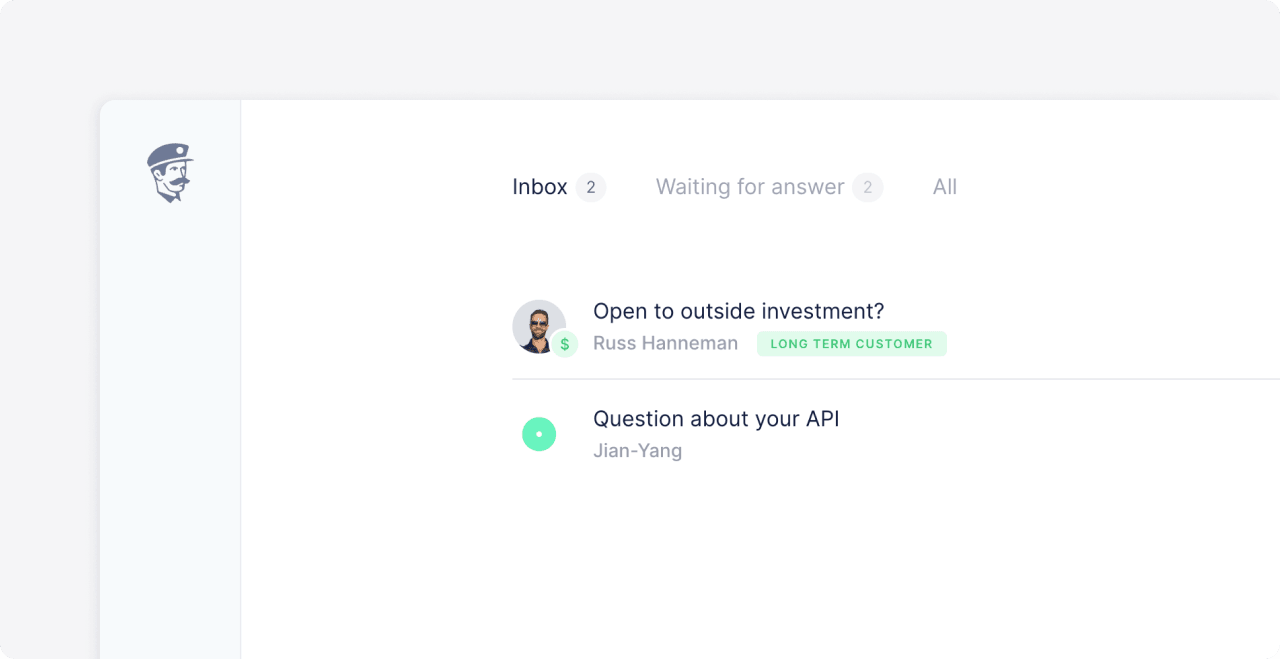 As a worked example, here's a rule that fast-tracks anyone on the `Pro` plan: auto-acknowledge their message and bump it to the top of the queue.
Open [Rules](https://app.getfernand.com/settings/organization/rules) in Fernand, click `Add rule`, and give it a name you'll recognize later — e.g. *"Pro plan fast lane"*.
As a worked example, here's a rule that fast-tracks anyone on the `Pro` plan: auto-acknowledge their message and bump it to the top of the queue.
Open [Rules](https://app.getfernand.com/settings/organization/rules) in Fernand, click `Add rule`, and give it a name you'll recognize later — e.g. *"Pro plan fast lane"*.
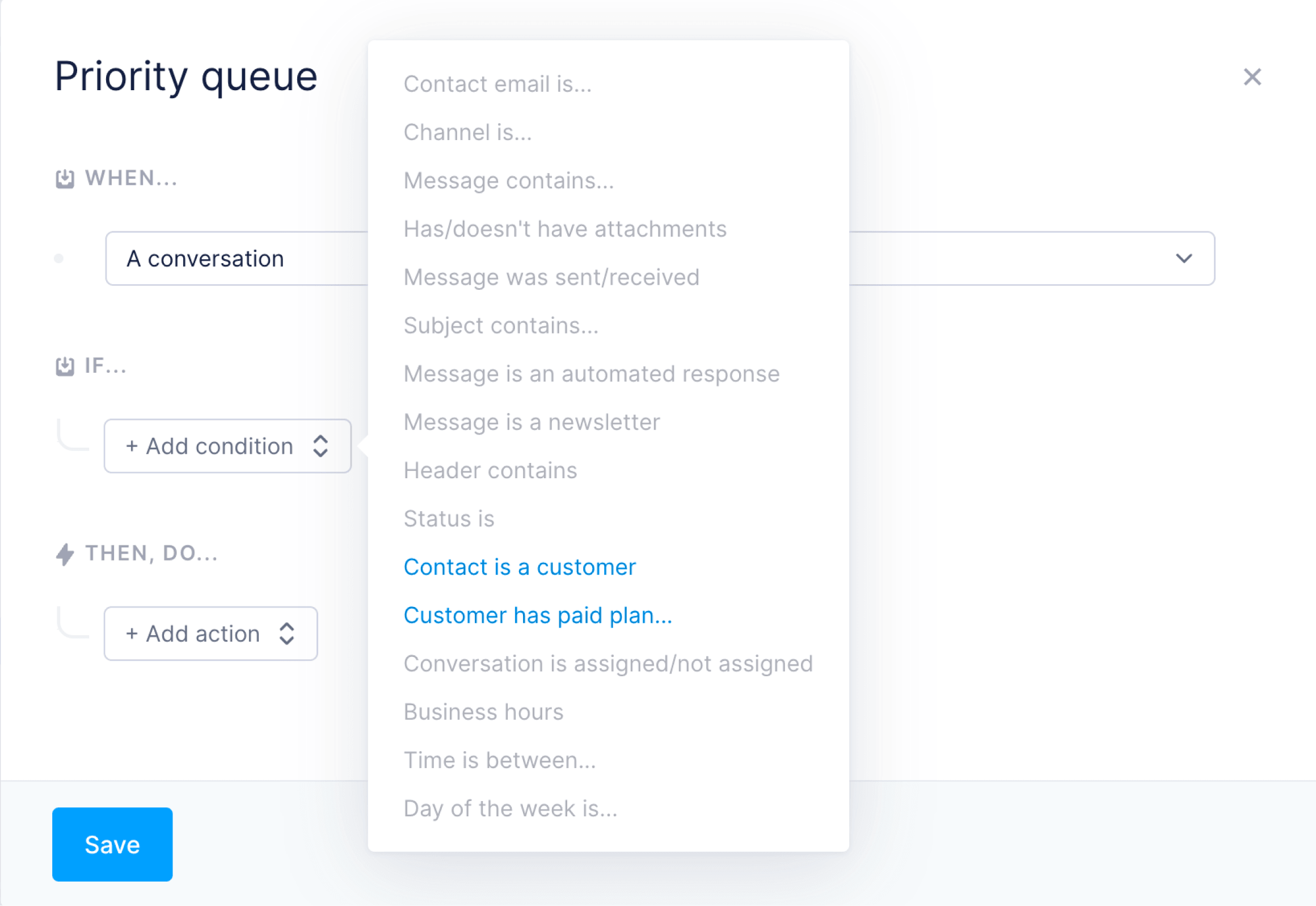
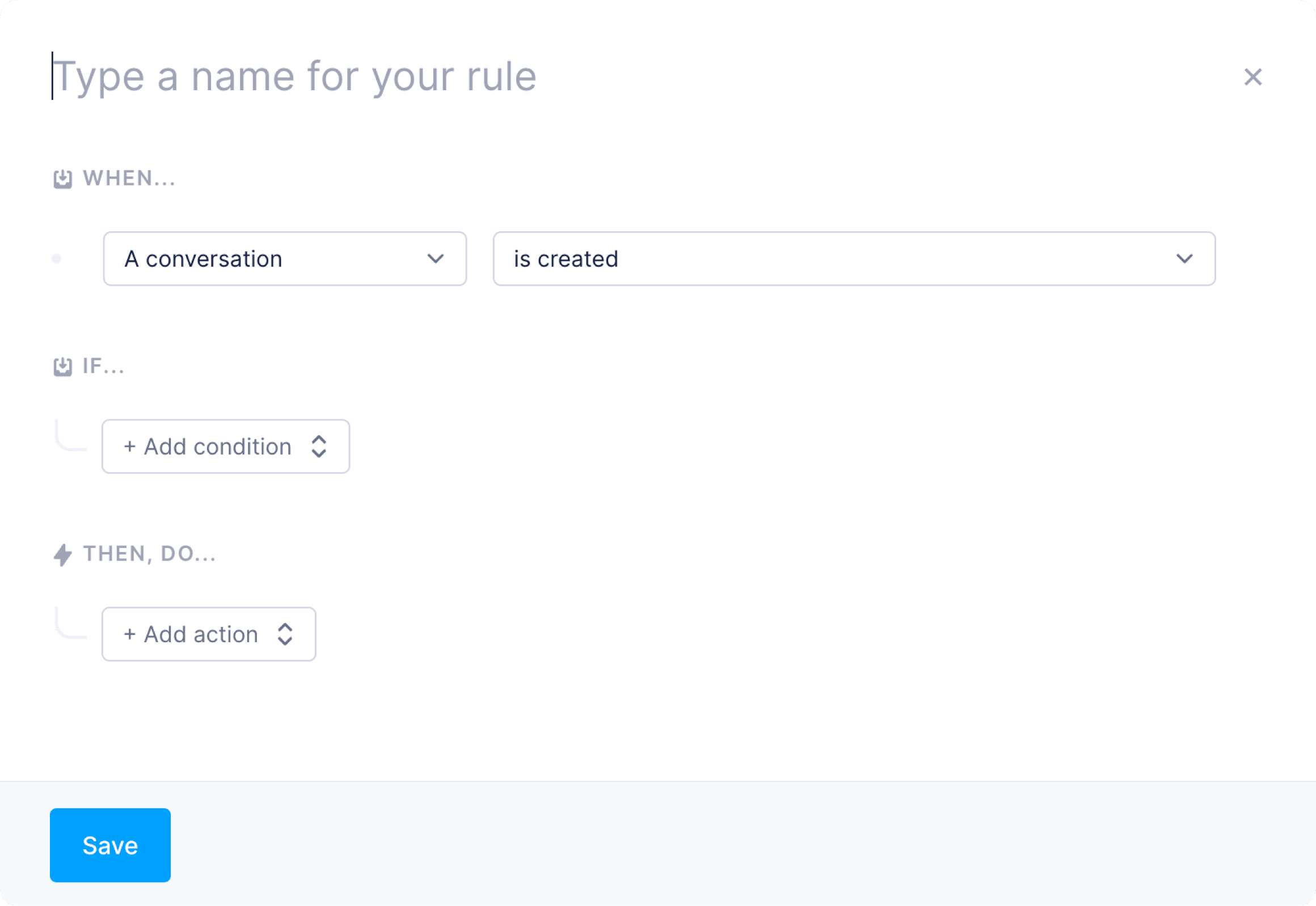 Trigger on each new customer message so the rule evaluates every inbound ticket.
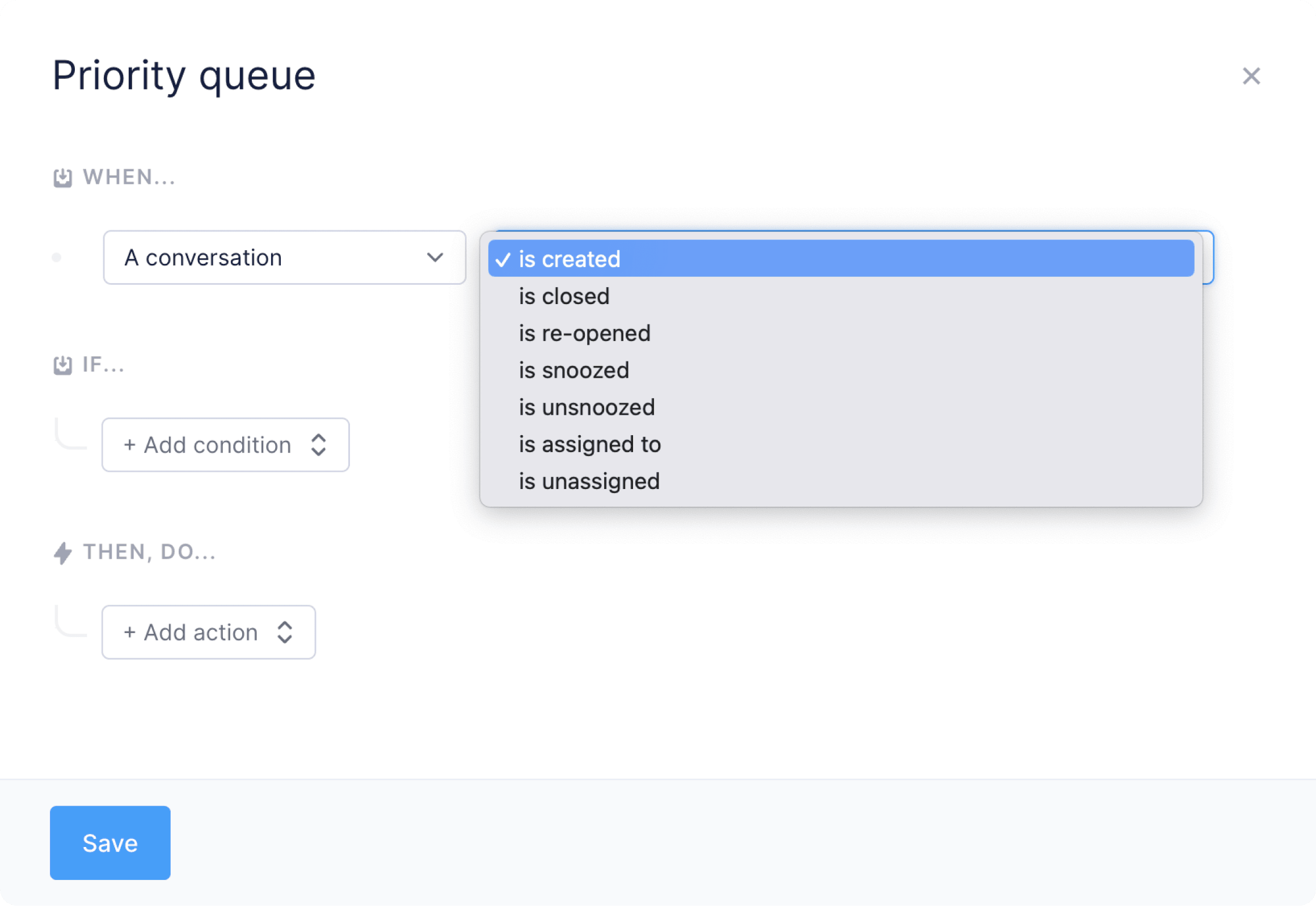 Branch on synced Macropay data, for example:
* `Contact is a customer...`
* `Contact has paid plan...`
Scope it to a tier (`Pro`, `Business`) or a specific product to personalize support and automate prioritization.
Branch on synced Macropay data, for example:
* `Contact is a customer...`
* `Contact has paid plan...`
Scope it to a tier (`Pro`, `Business`) or a specific product to personalize support and automate prioritization.
 Decide what happens on a match:
* Send an auto-reply with variables
* Assign the conversation to a named agent
* Tag it `priority` or `paid`
* Fire a webhook to drive external automation
Decide what happens on a match:
* Send an auto-reply with variables
* Assign the conversation to a named agent
* Tag it `priority` or `paid`
* Fire a webhook to drive external automation
 The webhook action pairs well with Macropay's own [webhooks](/integrate/webhooks/endpoints). Fernand can react to *support* events while Macropay pushes *billing* events to the same backend — useful for granting access, flagging churn risk, or logging high-value interactions.
## Disconnect
Deleting your Fernand organization removes the Macropay connection automatically.
The webhook action pairs well with Macropay's own [webhooks](/integrate/webhooks/endpoints). Fernand can react to *support* events while Macropay pushes *billing* events to the same backend — useful for granting access, flagging churn risk, or logging high-value interactions.
## Disconnect
Deleting your Fernand organization removes the Macropay connection automatically.