> ## Documentation Index
> Fetch the complete documentation index at: https://docs.macropay.ai/llms.txt
> Use this file to discover all available pages before exploring further.
# Purchase Power Parity with ParityDeals
> Auto-localize prices by country with ParityDeals — discounts created and managed on Macropay via OAuth.
A flat global price leaves money on the table. The same \$99/year plan that converts in San Francisco can be a hard sell in São Paulo or Mumbai — not because the product is worth less, but because purchasing power isn't the same everywhere. [ParityDeals](https://www.paritydeals.com/) closes that gap: it reads each visitor's location and serves a price tuned to their region, then [creates the matching discount on your Macropay products automatically](https://www.paritydeals.com/features/purchasing-power-parity-discounts/).
You stay the merchant — Macropay remains your Merchant of Record, so the localized sale is still sold under our entity, with global sales tax and VAT remitted on your behalf and PCI scope absorbed for you. ParityDeals handles the geo-pricing layer on top.
## How the integration works
Link Macropay to ParityDeals over OAuth 2.0 — no API keys to copy or rotate by hand.
Choose exactly which Macropay products get parity pricing.
Configure deals by country or seasonal event; ParityDeals ships sensible defaults you can override.
ParityDeals creates and manages the discounts directly on Macropay — and serves them by geolocation and time, skipping detected VPNs.
## Setup
Head to [app.paritydeals.com](http://app.paritydeals.com) and sign up.
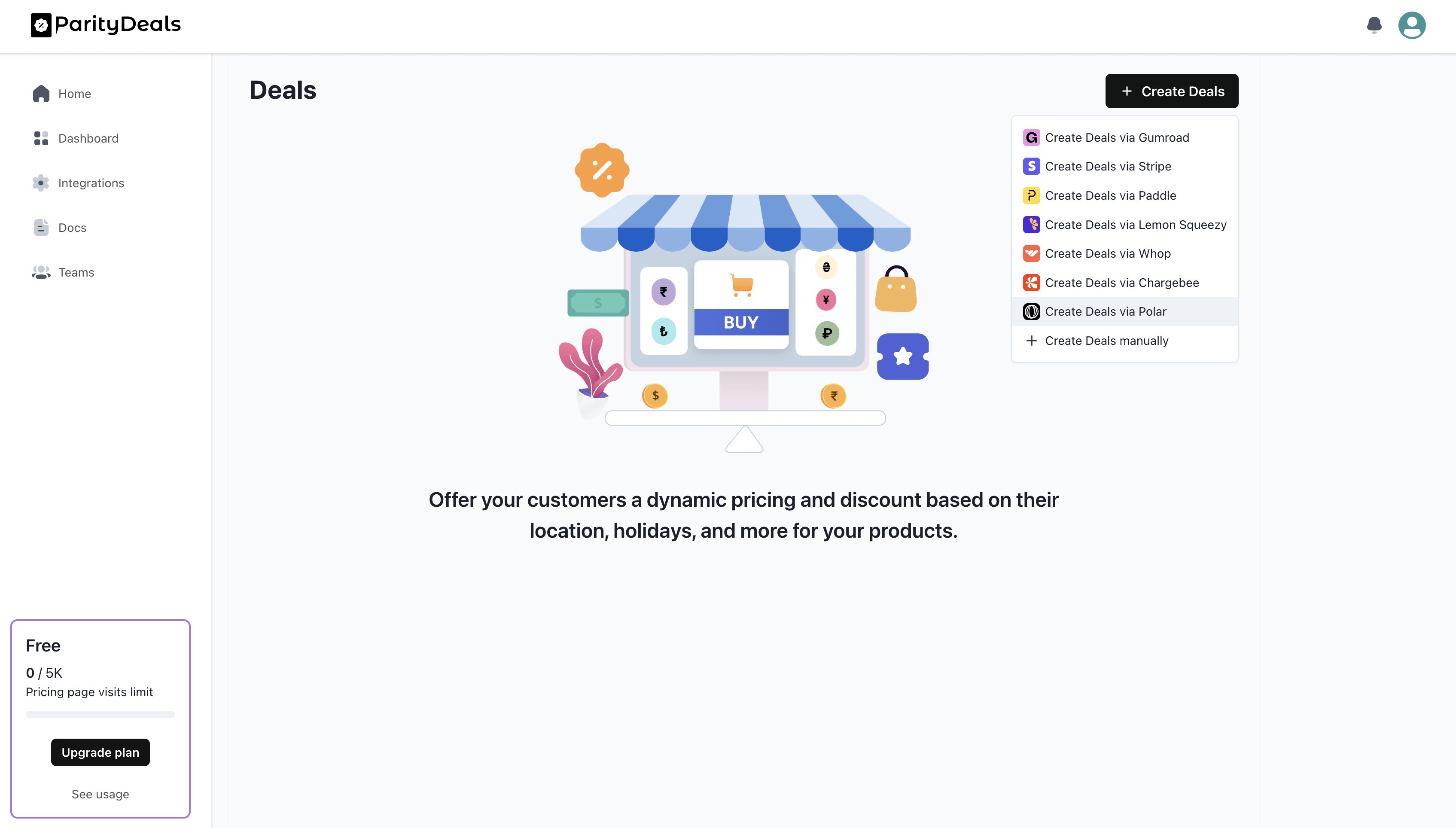
In the ParityDeals dashboard, open `Create Deals` and choose `Create Deals with Macropay`.
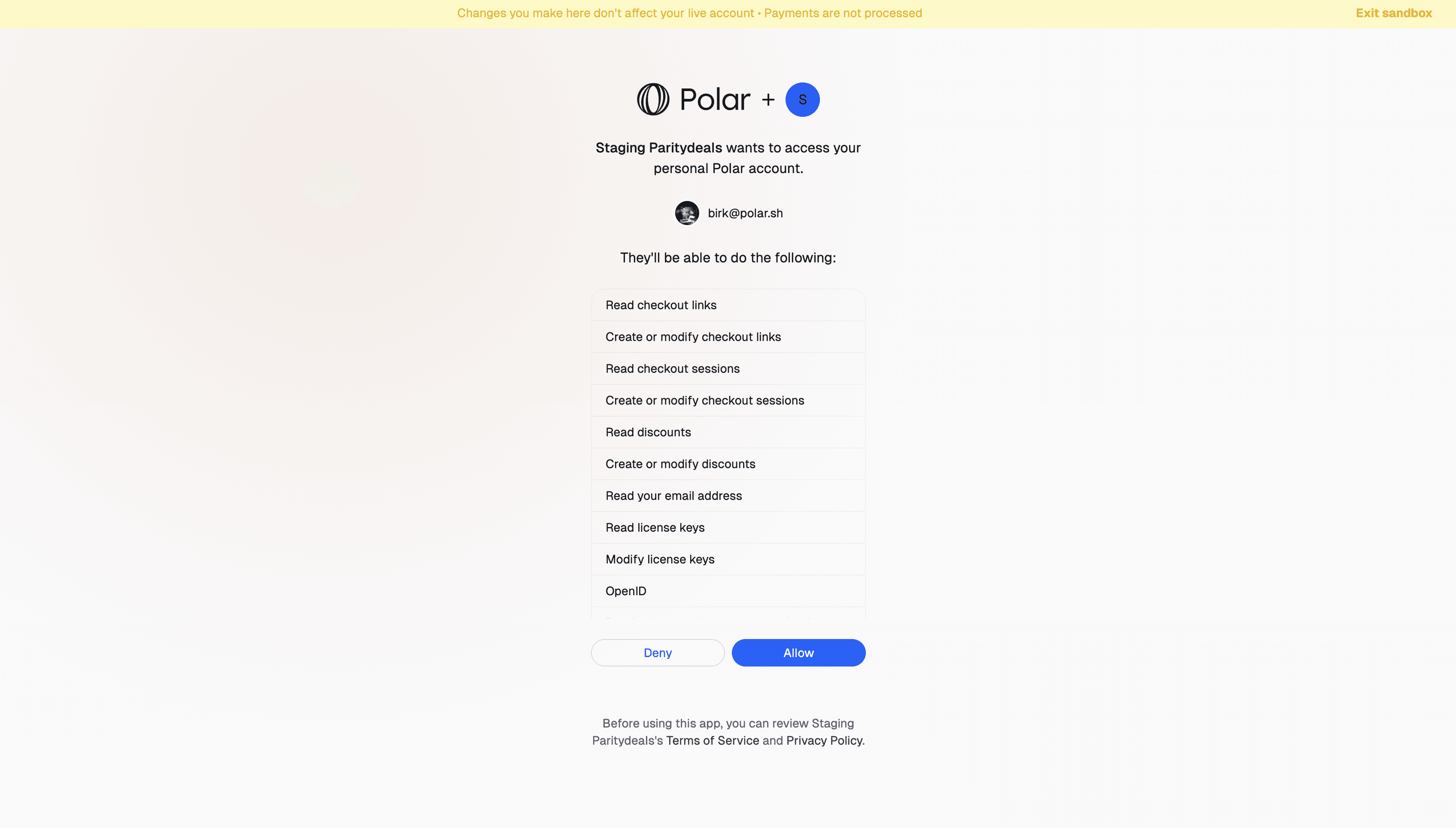
 Approve the connection in the Macropay consent screen — ParityDeals receives only the permissions it needs, and nothing is shared as a long-lived secret.
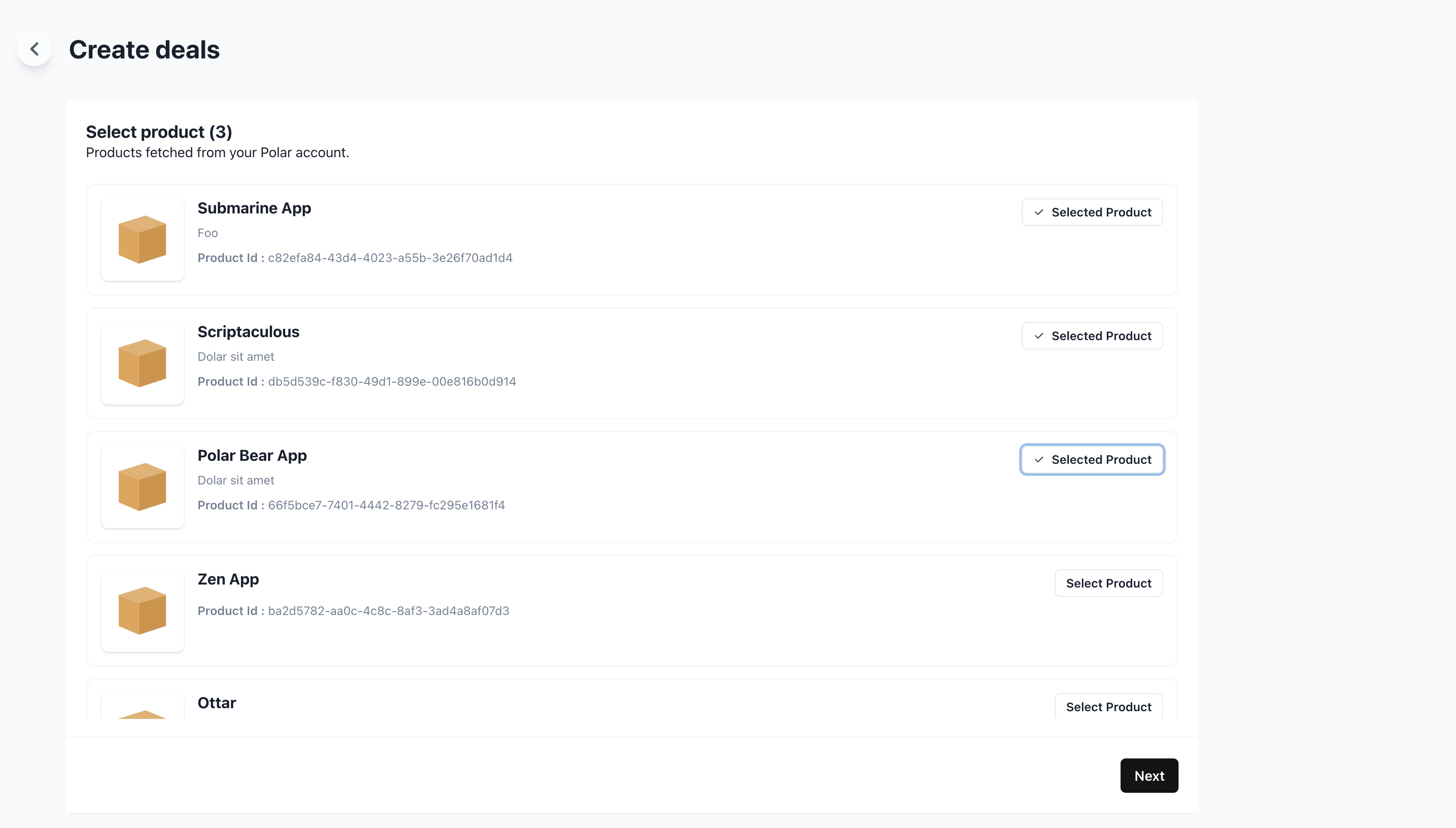
 Choose which of your Macropay products should carry parity pricing.
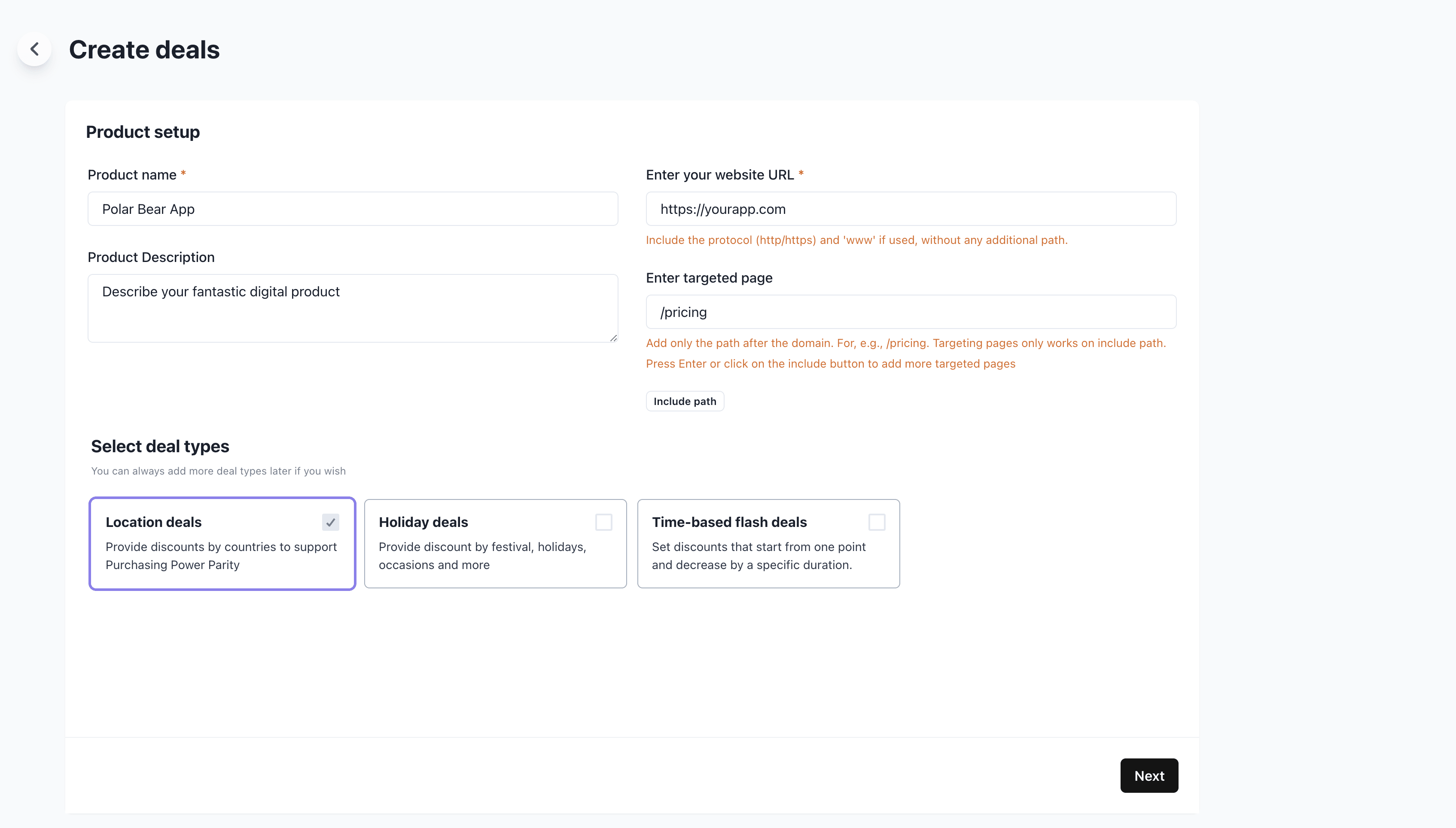
 Deals render on your own site (not the Macropay storefront), so two fields matter here:
* **Website URL** — the domain where the banner will live.
* **Targeted path** — scope deals to a single page, e.g. `/pricing`, so they only surface where it counts.
Deals render on your own site (not the Macropay storefront), so two fields matter here:
* **Website URL** — the domain where the banner will live.
* **Targeted path** — scope deals to a single page, e.g. `/pricing`, so they only surface where it counts.
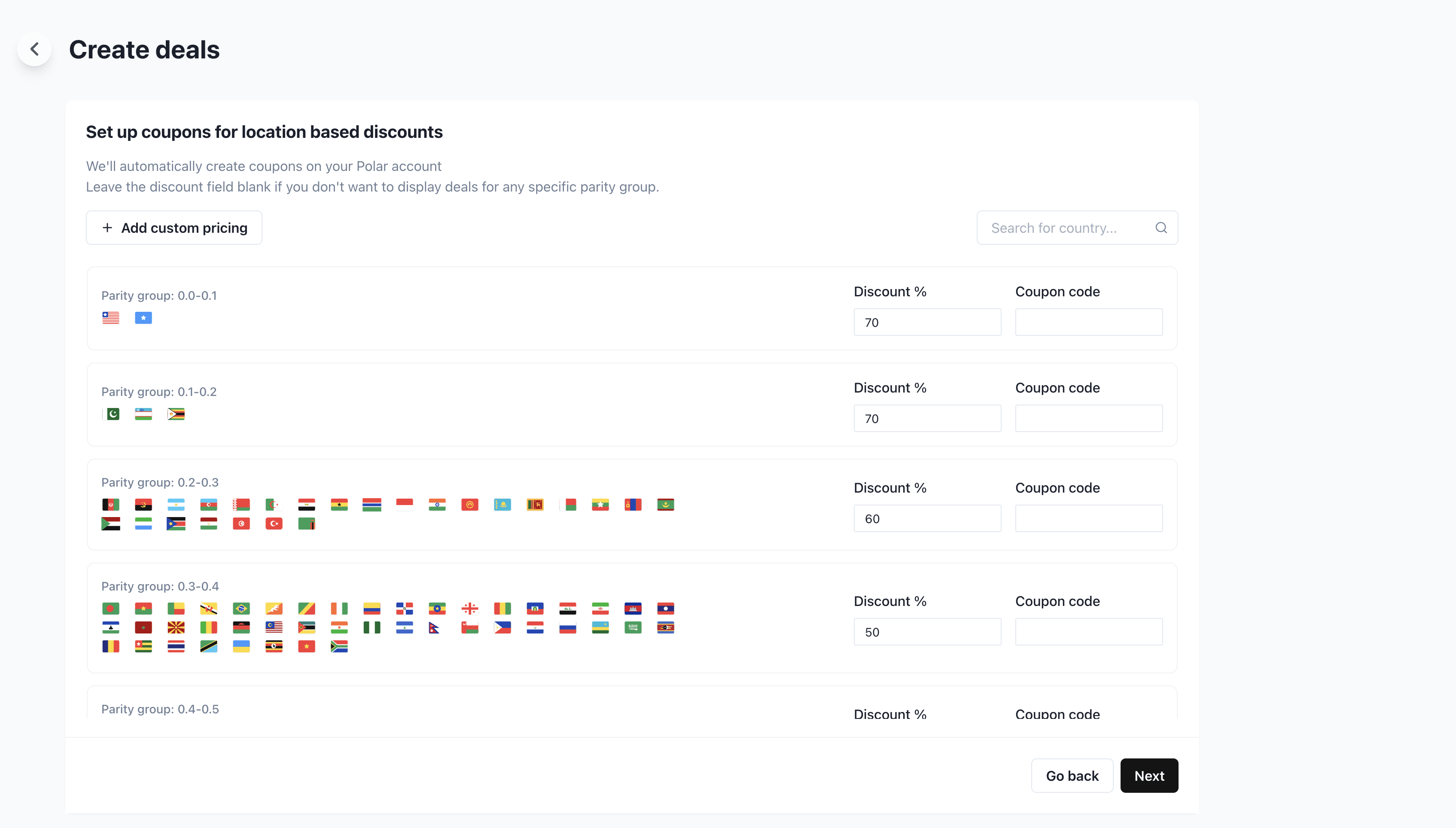
 Then dial in per-country discounts. The defaults are a strong starting point, but every market is yours to tune.
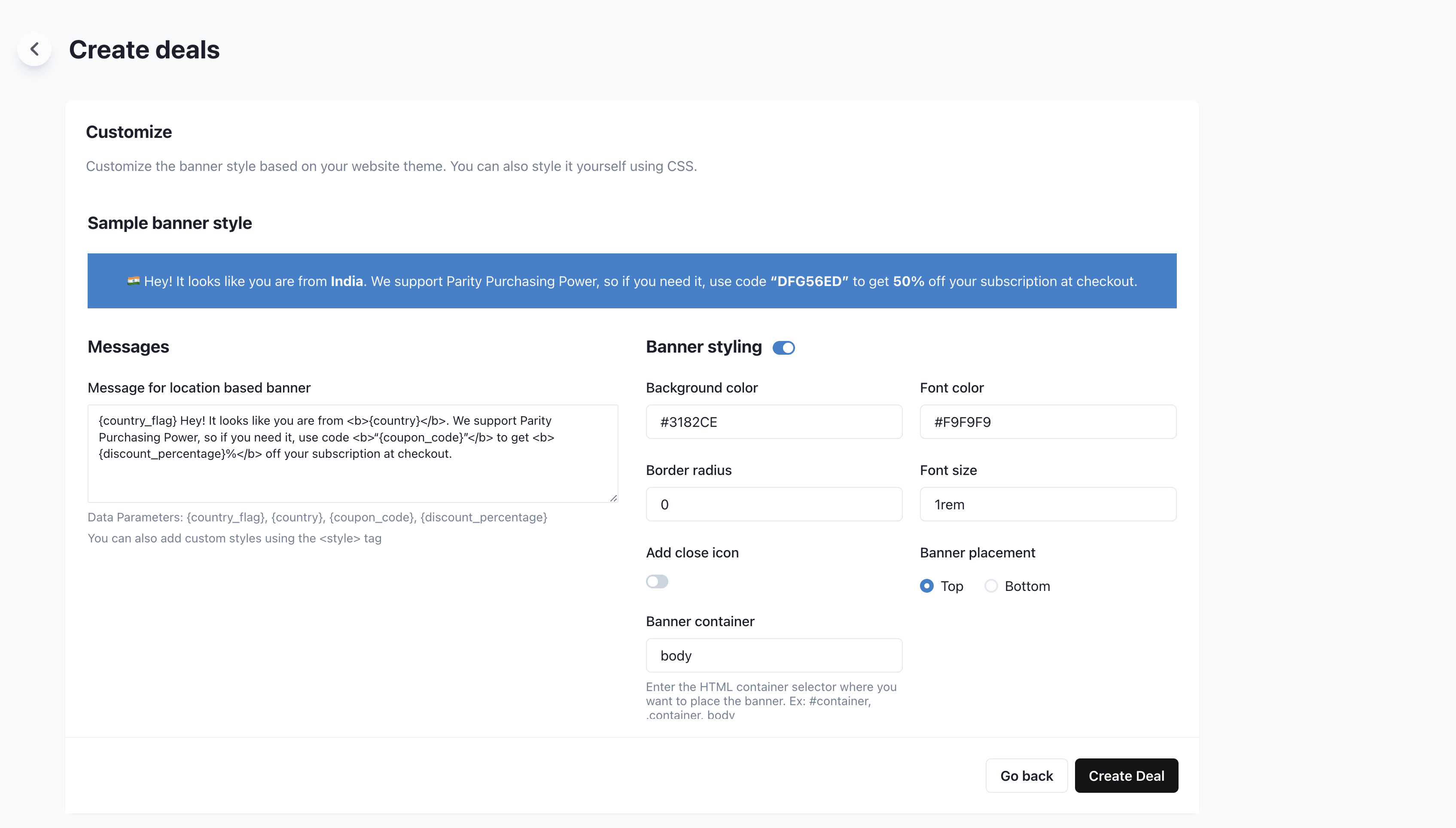
 Match the ParityDeals banner to your brand and layout.
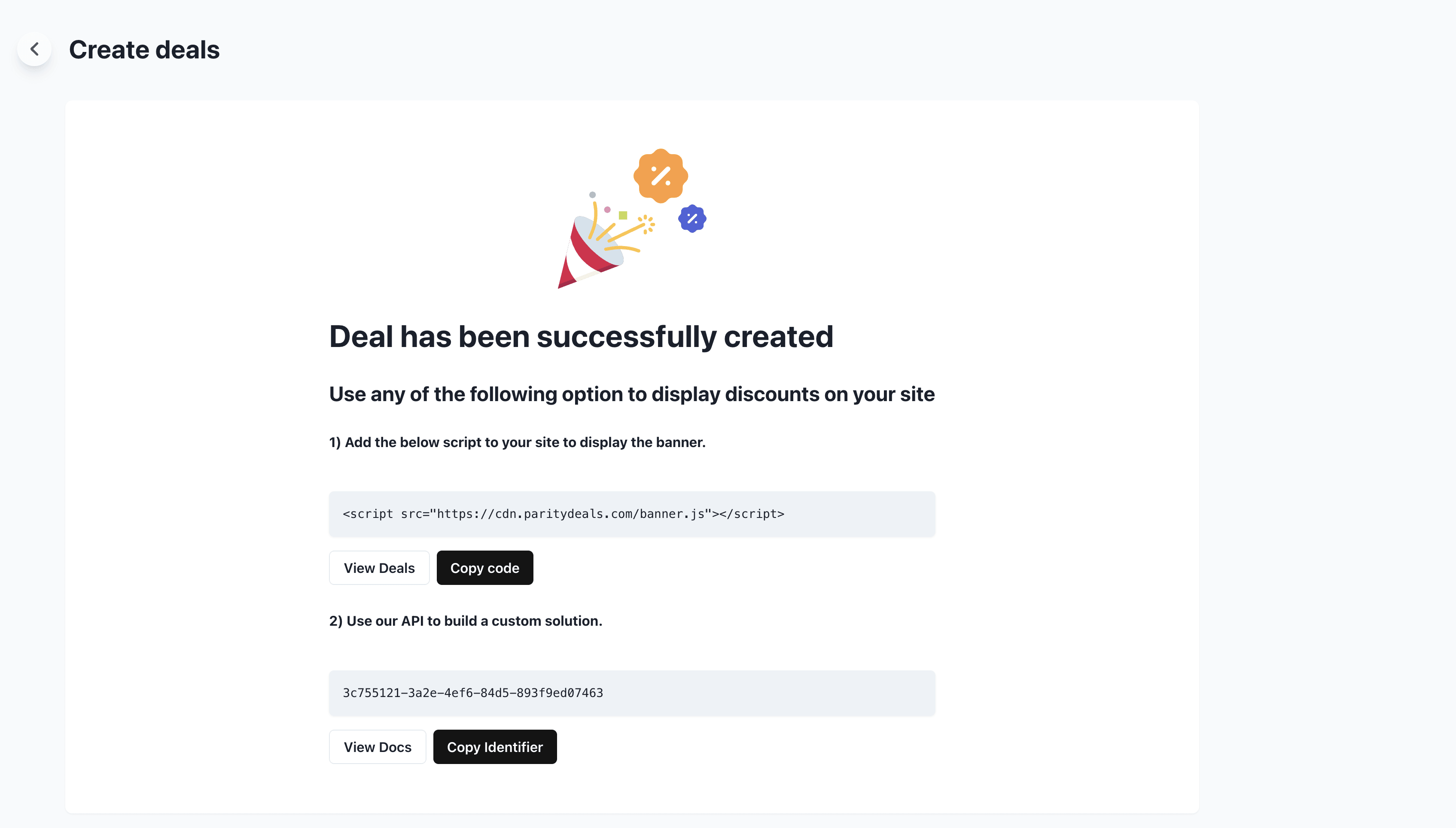
 Copy the banner script into your site and you're live. Visitors now see a price built for their region, and matching Macropay discounts apply at checkout automatically. 👏🏼
 Because parity pricing renders on your own domain, this pairs best with a custom pricing page rather than the hosted Macropay storefront.
## Need a hand?
The [ParityDeals documentation](https://www.paritydeals.com/docs/) covers banner customization, country rules, and troubleshooting in depth.
Because parity pricing renders on your own domain, this pairs best with a custom pricing page rather than the hosted Macropay storefront.
## Need a hand?
The [ParityDeals documentation](https://www.paritydeals.com/docs/) covers banner customization, country rules, and troubleshooting in depth.