> ## Documentation Index
> Fetch the complete documentation index at: https://docs.macropay.ai/llms.txt
> Use this file to discover all available pages before exploring further.
# Manage Refunds
> Issue full or partial refunds on any order, revoke benefits, and let Macropay proactively head off chargebacks as your Merchant of Record.
Refunds are part of running a healthy business — a customer changes their mind, a charge looks unfamiliar, an agent over-bills. Because Macropay is your **Merchant of Record**, you don't just get a refund button: you get a partner that handles the tax reversal, keeps the transaction off a dispute trajectory, and reconciles everything against your balance automatically.
You can refund any order **in full or in part**, in seconds, from the dashboard or the API.
 ## How MoR refunds protect you
As the seller of record, Macropay collected the sales tax / VAT on the original order and remitted it to the relevant jurisdiction. When you refund, that tax is unwound on our side too — there's no separate filing for you to chase.
We also watch for orders heading toward a dispute. A **\$30 chargeback fee applies regardless of outcome**, and a refund almost always costs less, so we may step in before it escalates.
**We may refund on your behalf to stop a chargeback**
Macropay reserves the right to issue a refund within **60 days** of purchase, at our discretion, to proactively prevent a costly dispute. This holds even if you operate a "no refunds" policy — a quiet refund is cheaper for everyone than a chargeback that lands a fee on your balance no matter how it resolves.
## Issue a refund from the dashboard
Navigate to the order you want to refund and open its detail page.
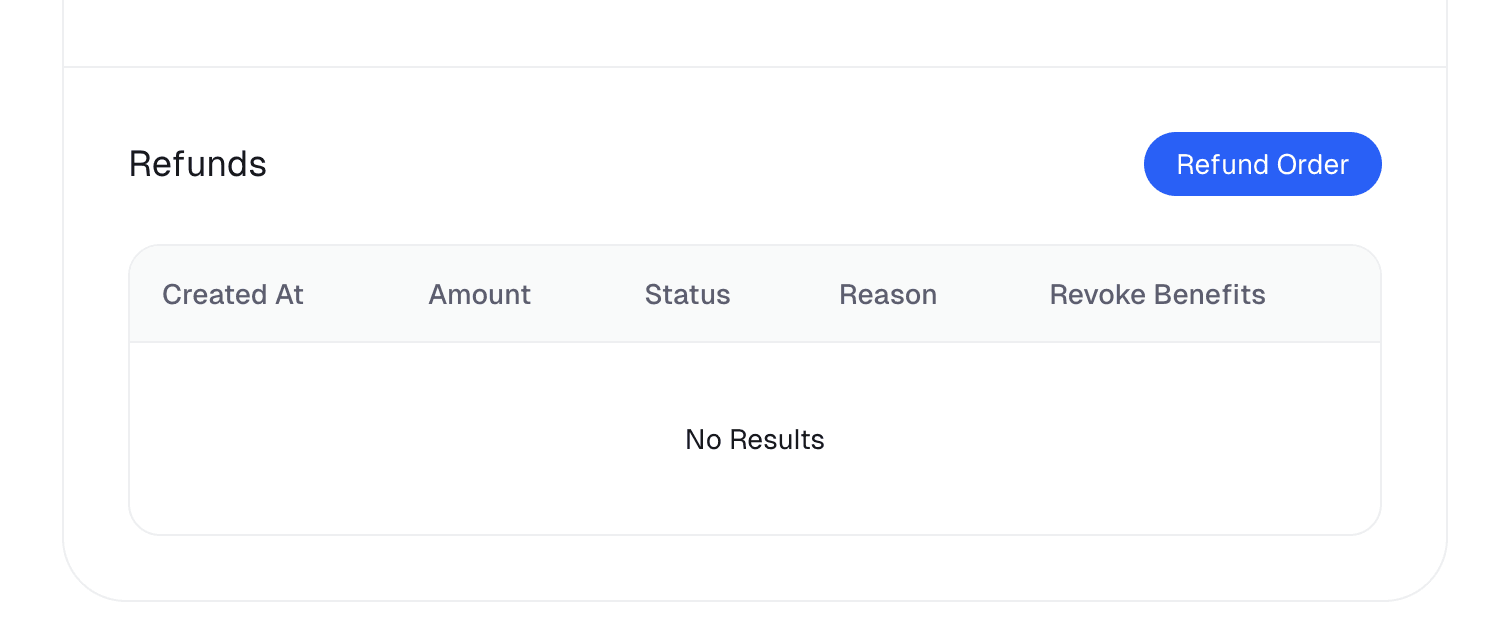
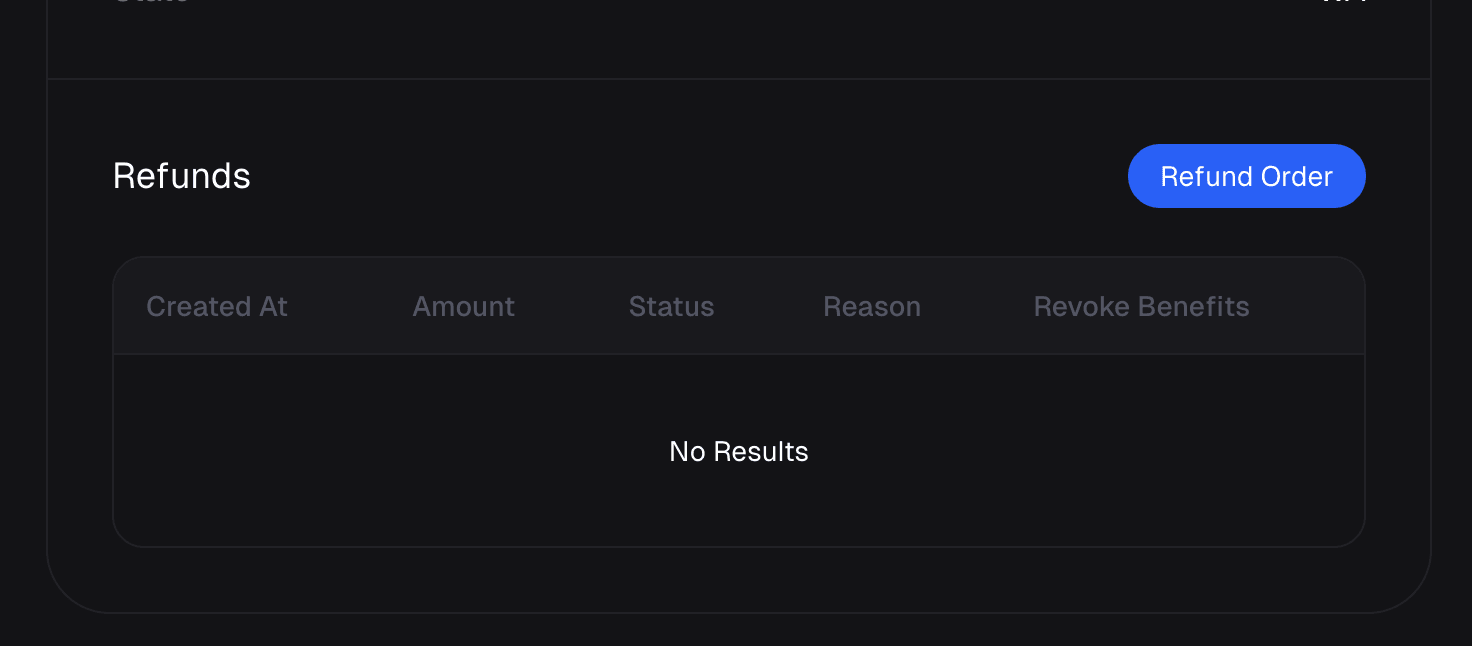
Scroll to the **Refund** panel near the bottom of the order.
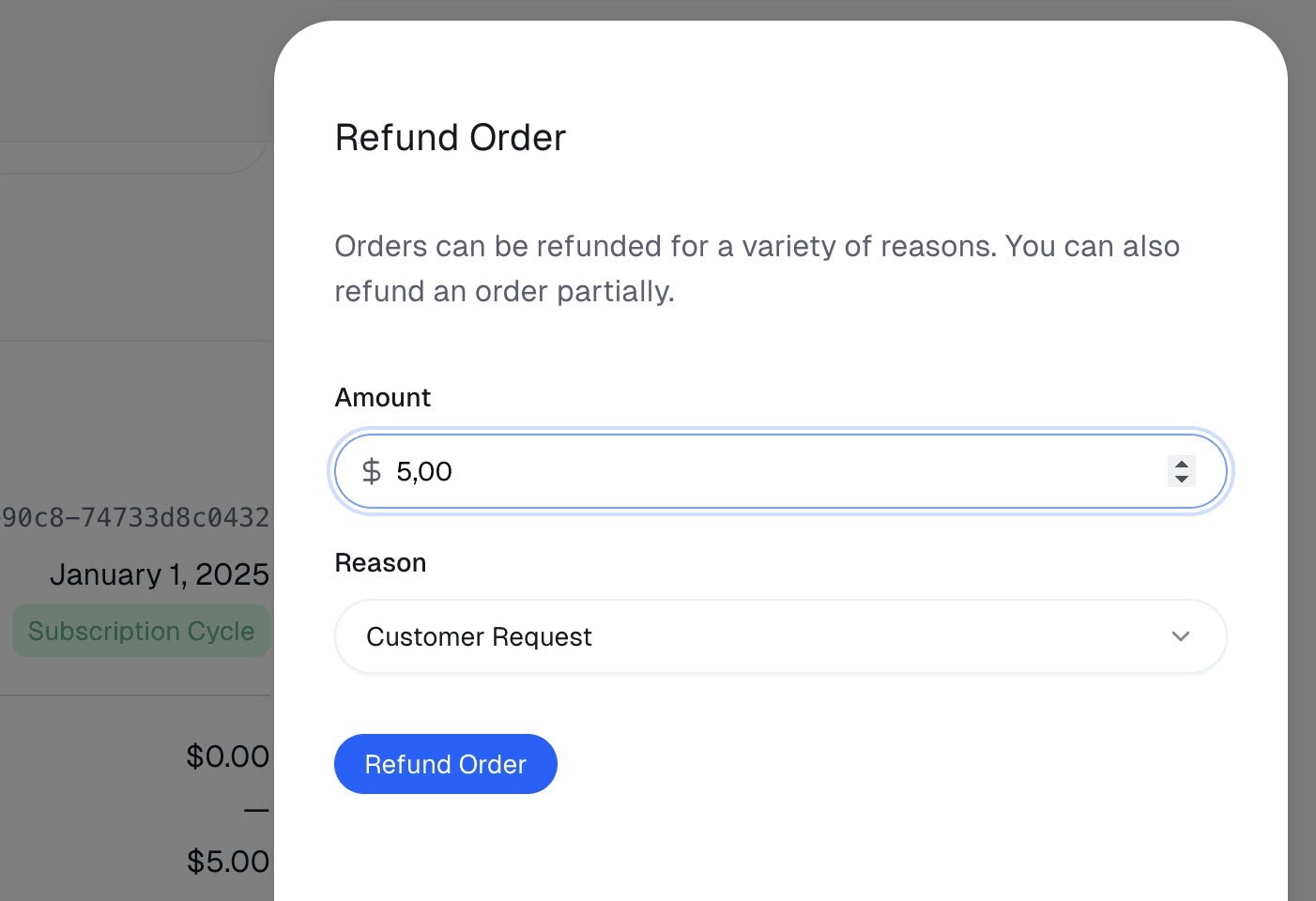
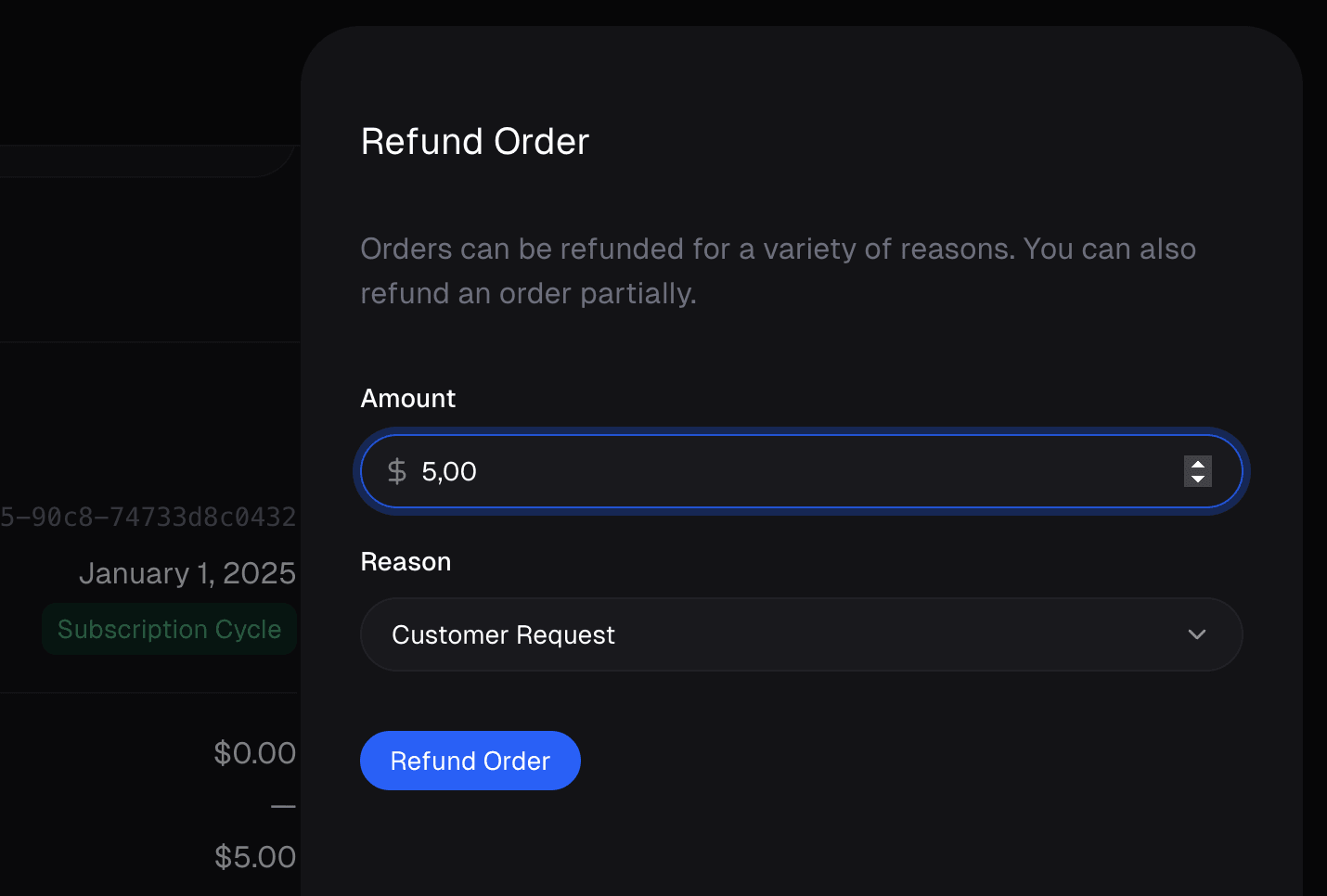
Confirm how much to return, pick a reason, and decide whether to revoke benefits (see below). Then click **Refund**.
## How MoR refunds protect you
As the seller of record, Macropay collected the sales tax / VAT on the original order and remitted it to the relevant jurisdiction. When you refund, that tax is unwound on our side too — there's no separate filing for you to chase.
We also watch for orders heading toward a dispute. A **\$30 chargeback fee applies regardless of outcome**, and a refund almost always costs less, so we may step in before it escalates.
**We may refund on your behalf to stop a chargeback**
Macropay reserves the right to issue a refund within **60 days** of purchase, at our discretion, to proactively prevent a costly dispute. This holds even if you operate a "no refunds" policy — a quiet refund is cheaper for everyone than a chargeback that lands a fee on your balance no matter how it resolves.
## Issue a refund from the dashboard
Navigate to the order you want to refund and open its detail page.
Scroll to the **Refund** panel near the bottom of the order.
Confirm how much to return, pick a reason, and decide whether to revoke benefits (see below). Then click **Refund**.
 ### Amount — full or partial
The field defaults to the full order total. Lower it to issue a **partial refund** — useful for prorating a half-used month, returning one seat of a multi-seat plan, or crediting back a single over-billed usage event.
### Reason
Tag the refund with a reason. It won't change the outcome for the customer, but it gives you and your team useful context later and feeds cleaner refund analytics.
### Revoke benefits
What happens to the customer's access depends on the kind of product.
| Product type | What you can revoke |
| --------------------- | ------------------------------------------------------------------------------------------------------------------------------------------------------------------------------------------ |
| **One-time purchase** | License keys, file downloads, prepaid credits, Discord and GitHub access. Revocation is **on by default** with a full refund; toggle it off to refund while leaving access intact. |
| **Subscription** | You **cannot** revoke access by refunding an individual order. Cancel the subscription instead — Macropay revokes the associated benefits automatically once the subscription itself ends. |
**Processing fees stay with the original charge**
Card networks and processors bill us for every transaction whether or not it's later refunded — that's an industry constant — so the **per-transaction fee is not returned** on a refund.
For example, a $40 order carries roughly **$2.30\*\* in fees (4.5% + 50¢). You can refund the customer the full $40, but that ~$2.30 isn't recovered; it's settled against your balance from other sales.
## Refund via the API
Refunds are a first-class API resource, so support flows, internal tools, and agents can issue them without a human opening the dashboard. Reference the order, set `amount` in the smallest currency unit (cents, minimum `1`), pick a `reason`, and choose whether to revoke benefits.
```bash cURL theme={null}
curl -X POST https://api.macropay.ai/v1/refunds/ \
-H "Authorization: Bearer $MACROPAY_ACCESS_TOKEN" \
-H "Content-Type: application/json" \
-d '{
"order_id": "1dbfc517-0bbf-4301-9ba8-555ca42b9737",
"reason": "customer_request",
"amount": 1500,
"revoke_benefits": true
}'
```
```ts TypeScript theme={null}
import { Macropay } from "@macropayments/sdk";
const macropay = new Macropay({
accessToken: process.env["MACROPAY_ACCESS_TOKEN"] ?? "",
});
// Partial refund: return $15.00 of a larger order, leave benefits intact
const result = await macropay.refunds.create({
orderId: "1dbfc517-0bbf-4301-9ba8-555ca42b9737",
reason: "customer_request",
amount: 1500,
revokeBenefits: false,
});
console.log(result);
```
```python Python theme={null}
import macropay_sdk
from macropay_sdk import Macropay
with Macropay(access_token=os.environ["MACROPAY_ACCESS_TOKEN"]) as macropay:
res = macropay.refunds.create(request={
"order_id": "1dbfc517-0bbf-4301-9ba8-555ca42b9737",
"reason": macropay_sdk.RefundReason.CUSTOMER_REQUEST,
"amount": 1500,
"revoke_benefits": True,
})
print(res)
```
**Refunding an over-billed agent run**
When an AI agent's [usage-based charge](/features/usage-based-billing/introduction) is contested, issue a partial refund for just the affected amount rather than voiding the whole order. The order stays intact, your agentic margin reconciles automatically, and the customer is made whole for exactly what went wrong.
### Amount — full or partial
The field defaults to the full order total. Lower it to issue a **partial refund** — useful for prorating a half-used month, returning one seat of a multi-seat plan, or crediting back a single over-billed usage event.
### Reason
Tag the refund with a reason. It won't change the outcome for the customer, but it gives you and your team useful context later and feeds cleaner refund analytics.
### Revoke benefits
What happens to the customer's access depends on the kind of product.
| Product type | What you can revoke |
| --------------------- | ------------------------------------------------------------------------------------------------------------------------------------------------------------------------------------------ |
| **One-time purchase** | License keys, file downloads, prepaid credits, Discord and GitHub access. Revocation is **on by default** with a full refund; toggle it off to refund while leaving access intact. |
| **Subscription** | You **cannot** revoke access by refunding an individual order. Cancel the subscription instead — Macropay revokes the associated benefits automatically once the subscription itself ends. |
**Processing fees stay with the original charge**
Card networks and processors bill us for every transaction whether or not it's later refunded — that's an industry constant — so the **per-transaction fee is not returned** on a refund.
For example, a $40 order carries roughly **$2.30\*\* in fees (4.5% + 50¢). You can refund the customer the full $40, but that ~$2.30 isn't recovered; it's settled against your balance from other sales.
## Refund via the API
Refunds are a first-class API resource, so support flows, internal tools, and agents can issue them without a human opening the dashboard. Reference the order, set `amount` in the smallest currency unit (cents, minimum `1`), pick a `reason`, and choose whether to revoke benefits.
```bash cURL theme={null}
curl -X POST https://api.macropay.ai/v1/refunds/ \
-H "Authorization: Bearer $MACROPAY_ACCESS_TOKEN" \
-H "Content-Type: application/json" \
-d '{
"order_id": "1dbfc517-0bbf-4301-9ba8-555ca42b9737",
"reason": "customer_request",
"amount": 1500,
"revoke_benefits": true
}'
```
```ts TypeScript theme={null}
import { Macropay } from "@macropayments/sdk";
const macropay = new Macropay({
accessToken: process.env["MACROPAY_ACCESS_TOKEN"] ?? "",
});
// Partial refund: return $15.00 of a larger order, leave benefits intact
const result = await macropay.refunds.create({
orderId: "1dbfc517-0bbf-4301-9ba8-555ca42b9737",
reason: "customer_request",
amount: 1500,
revokeBenefits: false,
});
console.log(result);
```
```python Python theme={null}
import macropay_sdk
from macropay_sdk import Macropay
with Macropay(access_token=os.environ["MACROPAY_ACCESS_TOKEN"]) as macropay:
res = macropay.refunds.create(request={
"order_id": "1dbfc517-0bbf-4301-9ba8-555ca42b9737",
"reason": macropay_sdk.RefundReason.CUSTOMER_REQUEST,
"amount": 1500,
"revoke_benefits": True,
})
print(res)
```
**Refunding an over-billed agent run**
When an AI agent's [usage-based charge](/features/usage-based-billing/introduction) is contested, issue a partial refund for just the affected amount rather than voiding the whole order. The order stays intact, your agentic margin reconciles automatically, and the customer is made whole for exactly what went wrong.