> ## Documentation Index
> Fetch the complete documentation index at: https://docs.macropay.ai/llms.txt
> Use this file to discover all available pages before exploring further.
# How to allow multiple subscriptions per customer
> Let one customer hold several active subscriptions at once — ideal for multi-product, multi-seat, and per-agent billing.
By default, a customer in Macropay can carry one active subscription at a time. That keeps billing simple for single-product businesses, but it gets in the way the moment a customer needs to subscribe to more than one thing — a second product line, an add-on plan, or a separate subscription per AI agent they deploy.
Flip one organization-level toggle and a customer can hold any number of concurrent subscriptions. Because Macropay is your [merchant of record](/features/usage-based-billing/introduction), every one of those subscriptions is invoiced, tax/VAT-remitted, and reconciled under the same flat fee — no extra plumbing on your side.
## When you'll want this
A customer subscribes to your API plan *and* your analytics dashboard, each with its own renewal cycle.
A base plan plus separately-billed add-ons, or a parallel seat-based subscription for the same account.
Each AI agent a customer spins up gets its own metered subscription, so usage and [agent ROI](/features/usage-based-billing/introduction) stay isolated per agent.
One billing customer fans out into several plans across the teams or environments they run.
## Turn it on
In the Macropay dashboard, open **Settings** from the sidebar — or jump straight there:
`https://macropay.ai/dashboard/${org_slug}/settings`
Scroll to the **Subscriptions** section.
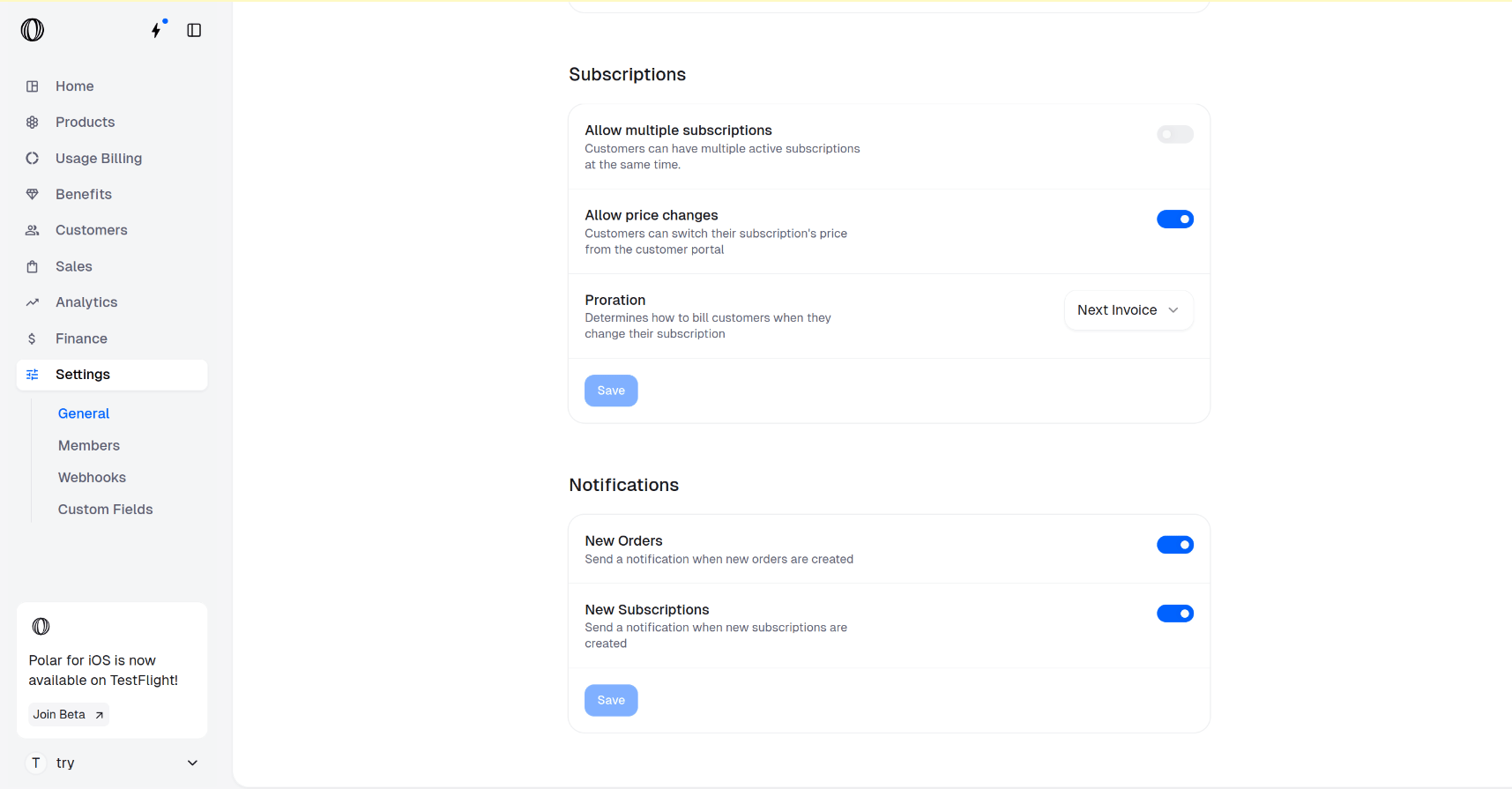 Switch **Allow multiple subscriptions** to **ON**. From now on, new checkouts can create a subscription for a customer even when they already have one active.
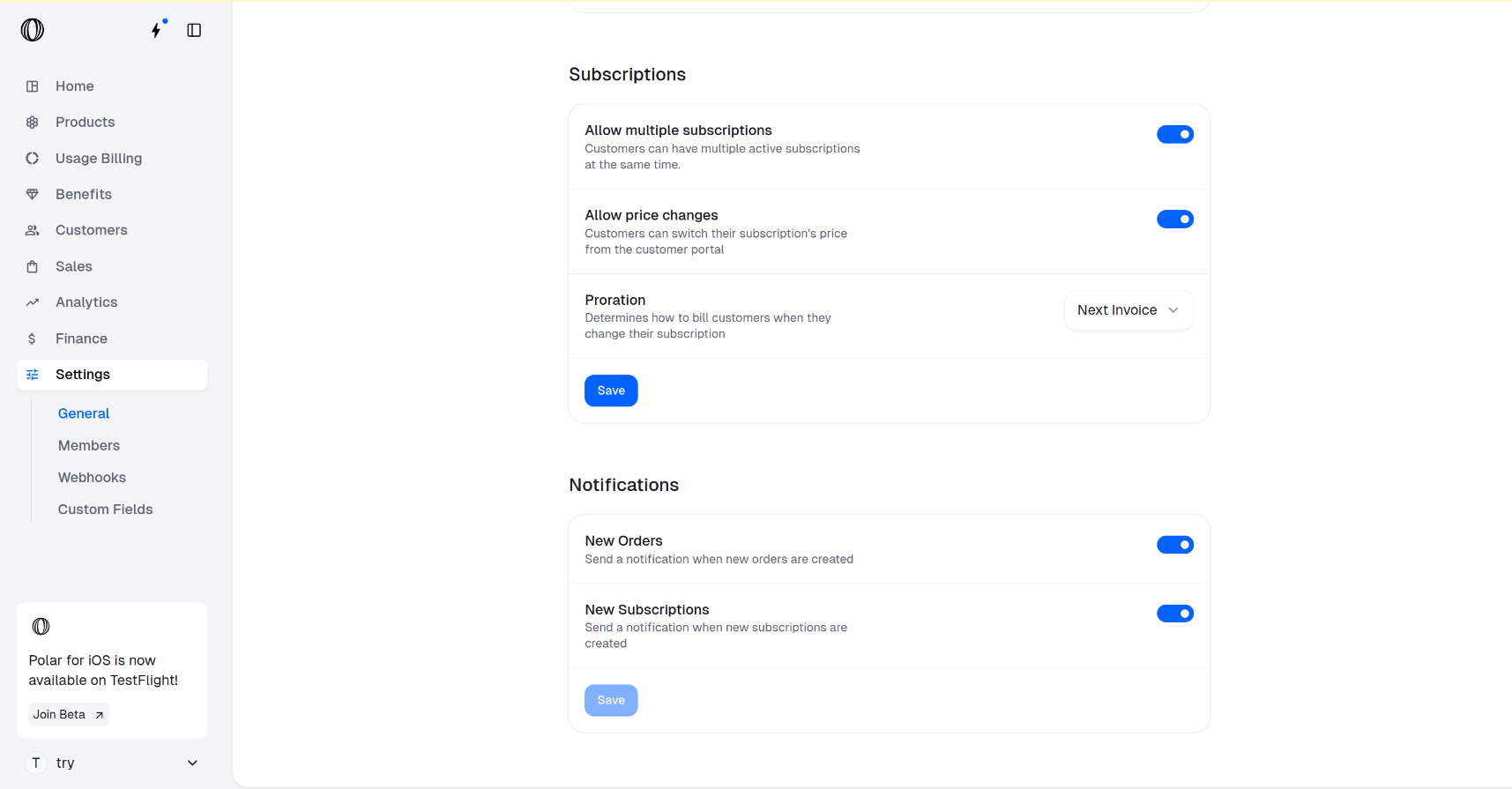 Click **Save** in the **Subscriptions** section to apply the change.
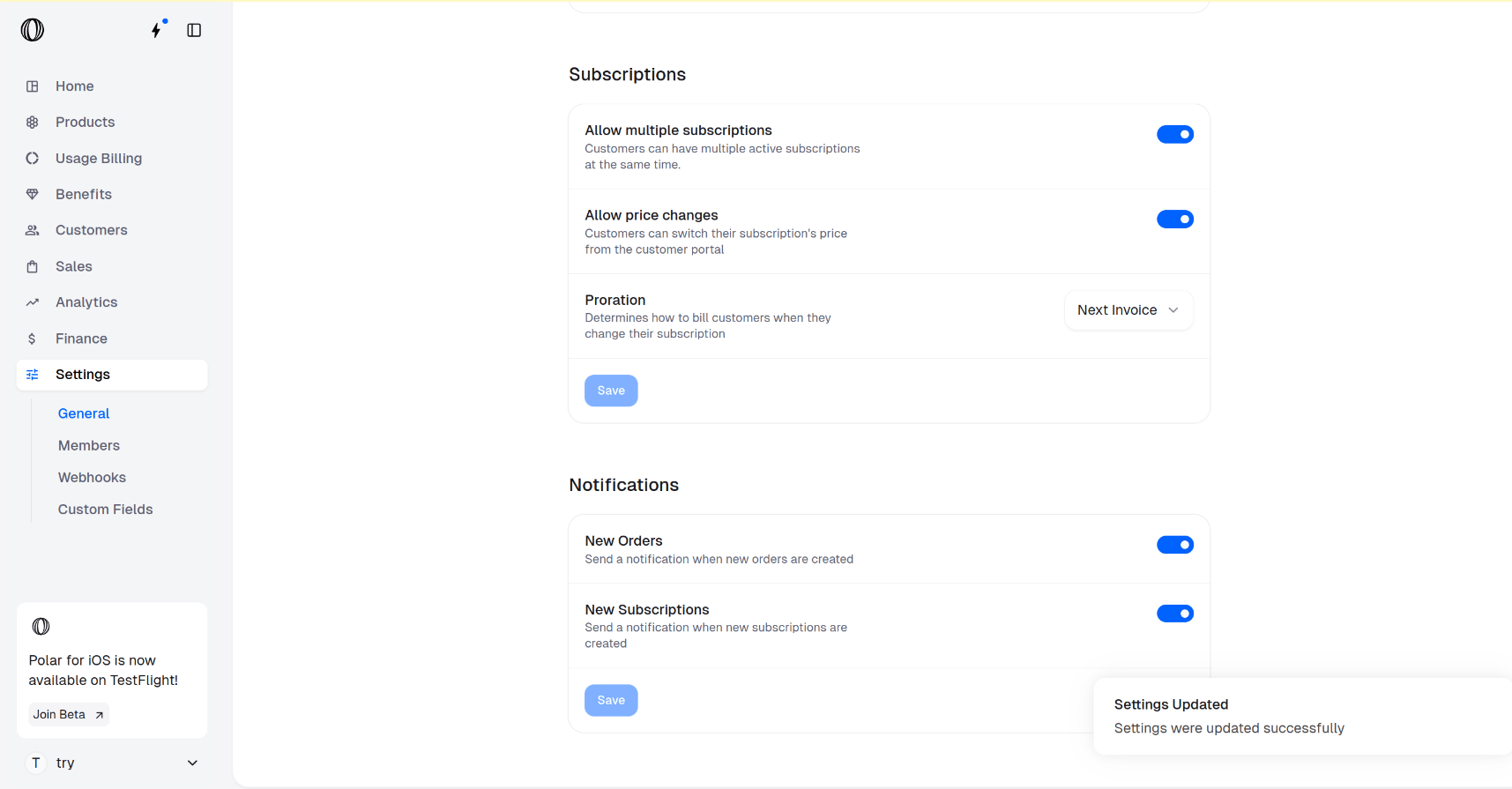 The setting takes effect immediately. Existing subscriptions are untouched; the change only governs whether *new* ones can stack onto a customer who is already subscribed.
## What changes once it's on
| Behavior | Toggle off (default) | Toggle on |
| -------------------------------------------------- | ----------------------------------- | ----------------------------------------------- |
| Second checkout for an already-subscribed customer | Blocked / replaces the current plan | Creates an additional, independent subscription |
| Billing cycles | Single cycle per customer | Each subscription bills on its own cadence |
| Renewals & cancellations | One per customer | Managed per subscription |
Each subscription is its own object with its own status, billing interval, and line items. Cancelling, upgrading, or refunding one has no effect on the others.
## Verify with the API
After enabling the toggle, a single customer can return several active subscriptions. List them by customer to confirm:
```bash theme={null}
curl -G "https://api.macropay.ai/v1/subscriptions" \
-H "Authorization: Bearer $MACROPAY_API_KEY" \
--data-urlencode "customer_id=cus_8f2k1a" \
--data-urlencode "active=true"
```
A customer with two concurrent plans returns both:
```json theme={null}
{
"items": [
{ "id": "sub_4d9...", "product_id": "prod_api_plan", "status": "active" },
{ "id": "sub_7c1...", "product_id": "prod_analytics", "status": "active" }
],
"pagination": { "total_count": 2, "max_page": 1 }
}
```
Pair this with the [customer portal](/features/customer-portal) so customers can self-manage each subscription — upgrade one, cancel another — without a support ticket.
The setting takes effect immediately. Existing subscriptions are untouched; the change only governs whether *new* ones can stack onto a customer who is already subscribed.
## What changes once it's on
| Behavior | Toggle off (default) | Toggle on |
| -------------------------------------------------- | ----------------------------------- | ----------------------------------------------- |
| Second checkout for an already-subscribed customer | Blocked / replaces the current plan | Creates an additional, independent subscription |
| Billing cycles | Single cycle per customer | Each subscription bills on its own cadence |
| Renewals & cancellations | One per customer | Managed per subscription |
Each subscription is its own object with its own status, billing interval, and line items. Cancelling, upgrading, or refunding one has no effect on the others.
## Verify with the API
After enabling the toggle, a single customer can return several active subscriptions. List them by customer to confirm:
```bash theme={null}
curl -G "https://api.macropay.ai/v1/subscriptions" \
-H "Authorization: Bearer $MACROPAY_API_KEY" \
--data-urlencode "customer_id=cus_8f2k1a" \
--data-urlencode "active=true"
```
A customer with two concurrent plans returns both:
```json theme={null}
{
"items": [
{ "id": "sub_4d9...", "product_id": "prod_api_plan", "status": "active" },
{ "id": "sub_7c1...", "product_id": "prod_analytics", "status": "active" }
],
"pagination": { "total_count": 2, "max_page": 1 }
}
```
Pair this with the [customer portal](/features/customer-portal) so customers can self-manage each subscription — upgrade one, cancel another — without a support ticket.