> ## Documentation Index
> Fetch the complete documentation index at: https://docs.macropay.ai/llms.txt
> Use this file to discover all available pages before exploring further.
# How to disable subscription upgrades/downgrades in customer portal
> Lock plan tiers in the self-serve customer portal so subscribers can't switch plans without going through your sales or support flow.
The customer portal lets subscribers manage their own billing without opening a support ticket. By default that includes switching plans — a customer on Starter can move to Pro, or downgrade, on their own. Sometimes you don't want that: maybe upgrades run through a sales-assisted flow, or plan moves require a contract change. This guide turns plan self-service off with a single organization setting.
Because Macropay is the Merchant of Record, any plan change a subscriber makes still gets billed, prorated, and tax-handled correctly on your behalf. Disabling the toggle simply removes the self-serve path — it doesn't change how billing works when *you* move a customer between plans via the API or dashboard.
## What this setting controls
The **Allow price changes** toggle governs one thing: whether subscribers can change their own plan from the portal.
| When **on** (default) | When **off** |
| ----------------------------------------------------- | ----------------------------------------------------------- |
| Customers see upgrade/downgrade options in the portal | The plan-switch UI is hidden |
| Subscribers move tiers without contacting you | Plan moves only happen via your team (dashboard) or the API |
| Other portal actions stay available | Other portal actions stay available |
Turning it off does **not** disable the portal, block cancellations, or stop renewals. Customers keep their other self-serve controls; they just can't reprice themselves.
## Turn off self-serve plan changes
From the Macropay dashboard sidebar, choose **Settings**, or jump straight there:
`https://macropay.ai/dashboard/${org_slug}/settings`
Scroll to the **Subscriptions** section.
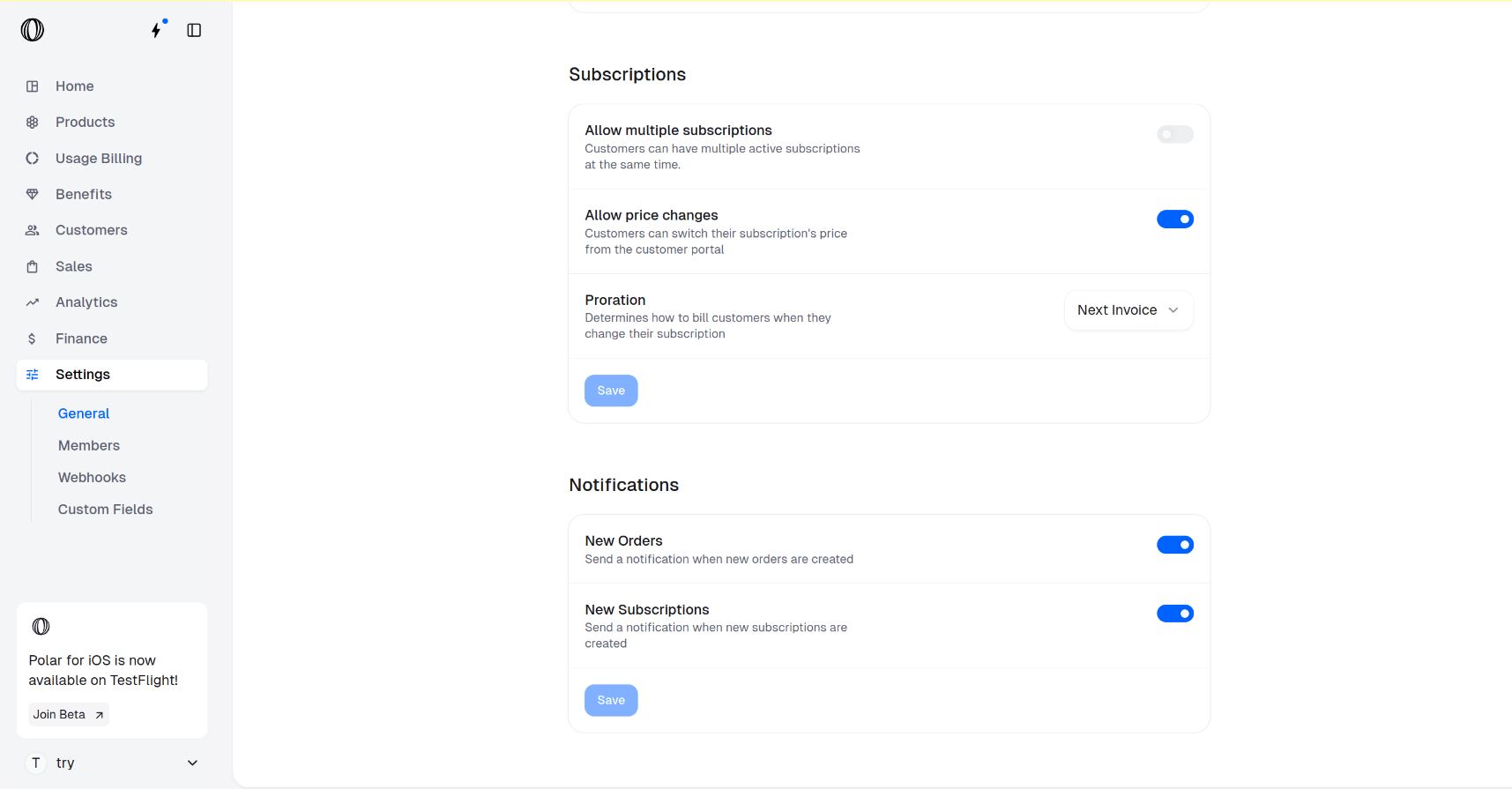 Switch **Allow price changes** to **off**. This hides upgrade and downgrade controls from every subscriber's portal.
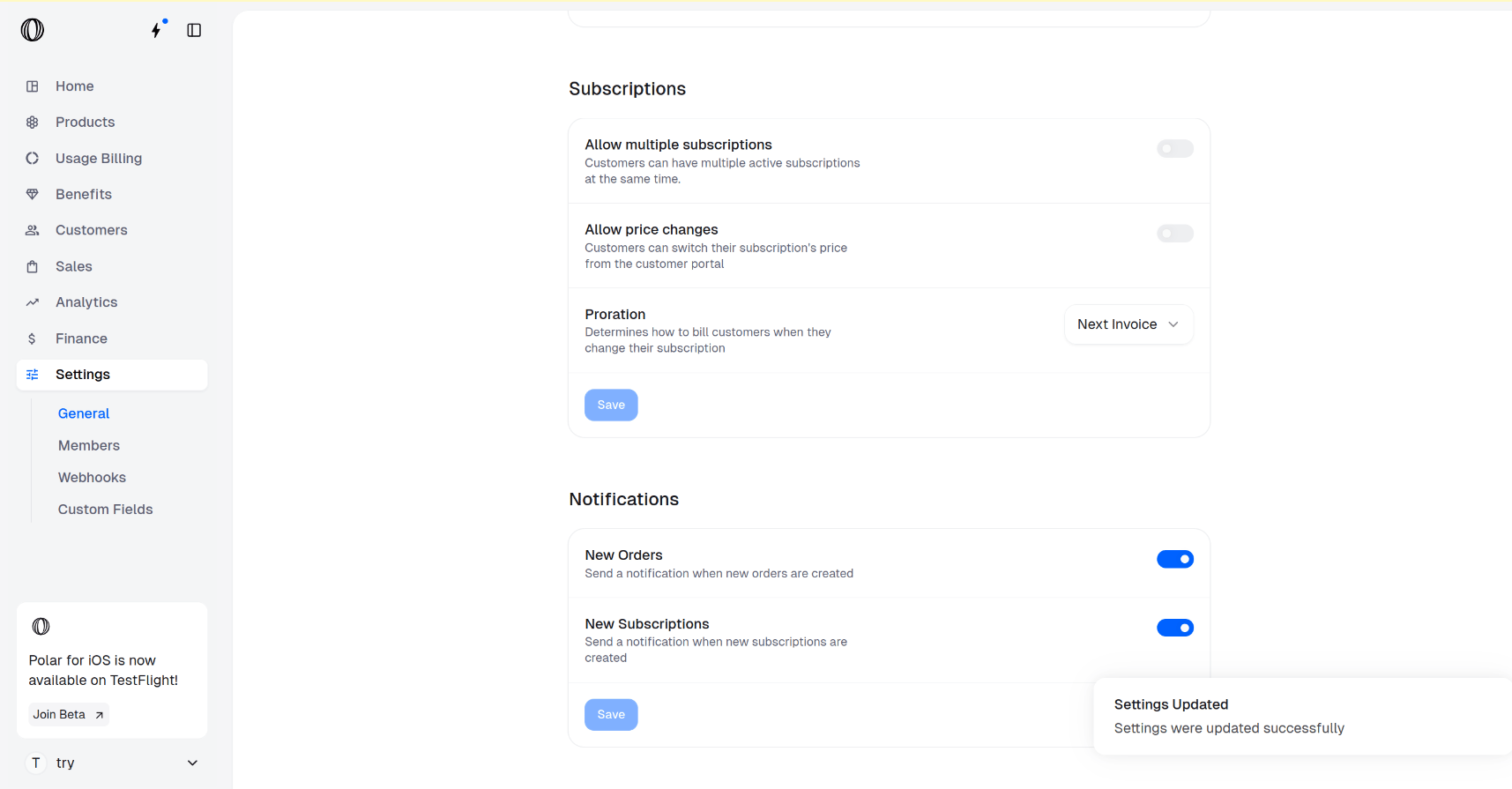
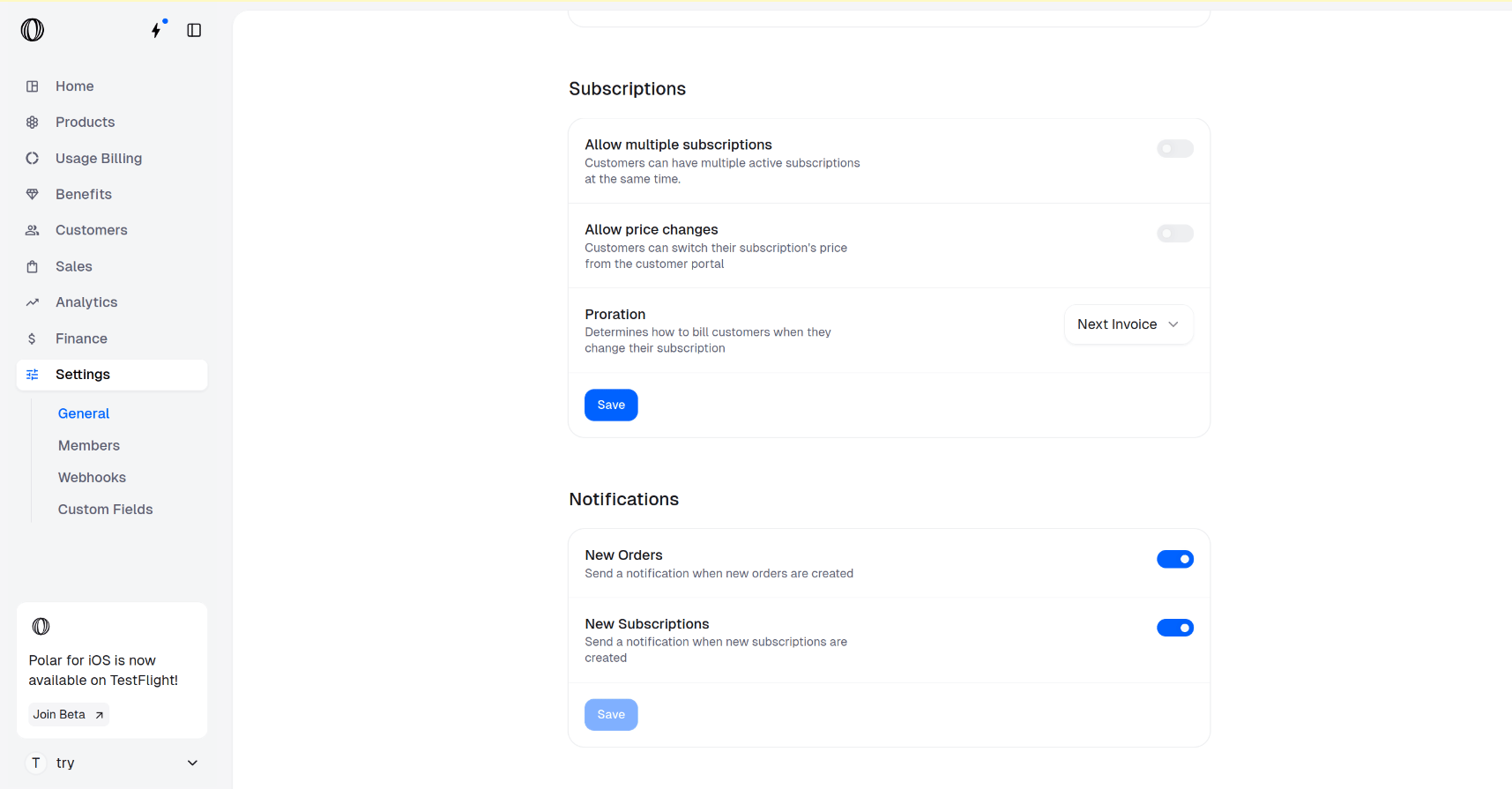 Click **Save** in the **Subscriptions** section. The change applies immediately across the portal.
 Open the customer portal as a test subscriber. The plan-switch option should be gone, while cancellation and payment-method management remain.
## Moving customers between plans yourself
With self-service off, you stay in control of every tier change. You can still update a subscription from the dashboard, or programmatically — handy when a sales rep closes an upgrade or your own logic decides a customer should move.
```bash theme={null}
curl -X PATCH https://api.macropay.ai/v1/subscriptions/{id} \
-H "Authorization: Bearer $MACROPAY_API_KEY" \
-H "Content-Type: application/json" \
-d '{
"product_id": "prod_pro_annual"
}'
```
Macropay handles the proration and the next invoice automatically, and — as Merchant of Record — recalculates sales tax/VAT for the new amount and remits it for you, so the tier change never adds tax-compliance work on your side.
Building agent- or usage-based plans? Plan-tier self-service is independent of metered billing. You can keep tiers locked here while still letting usage, activity, or outcome signals drive what a customer is billed — see [usage-based billing](/features/usage-based-billing/introduction).
## Related
What subscribers can manage on their own, and how to configure it.
Define plans, pricing, and the products behind each tier.
Open the customer portal as a test subscriber. The plan-switch option should be gone, while cancellation and payment-method management remain.
## Moving customers between plans yourself
With self-service off, you stay in control of every tier change. You can still update a subscription from the dashboard, or programmatically — handy when a sales rep closes an upgrade or your own logic decides a customer should move.
```bash theme={null}
curl -X PATCH https://api.macropay.ai/v1/subscriptions/{id} \
-H "Authorization: Bearer $MACROPAY_API_KEY" \
-H "Content-Type: application/json" \
-d '{
"product_id": "prod_pro_annual"
}'
```
Macropay handles the proration and the next invoice automatically, and — as Merchant of Record — recalculates sales tax/VAT for the new amount and remits it for you, so the tier change never adds tax-compliance work on your side.
Building agent- or usage-based plans? Plan-tier self-service is independent of metered billing. You can keep tiers locked here while still letting usage, activity, or outcome signals drive what a customer is billed — see [usage-based billing](/features/usage-based-billing/introduction).
## Related
What subscribers can manage on their own, and how to configure it.
Define plans, pricing, and the products behind each tier.