

One object, every billing shapeThere’s no separate “subscription” type to learn. Pay-once and recurring offerings are both products, distinguished by their pricing model. Both live under Products, where you can filter by pricing type to find what you need.
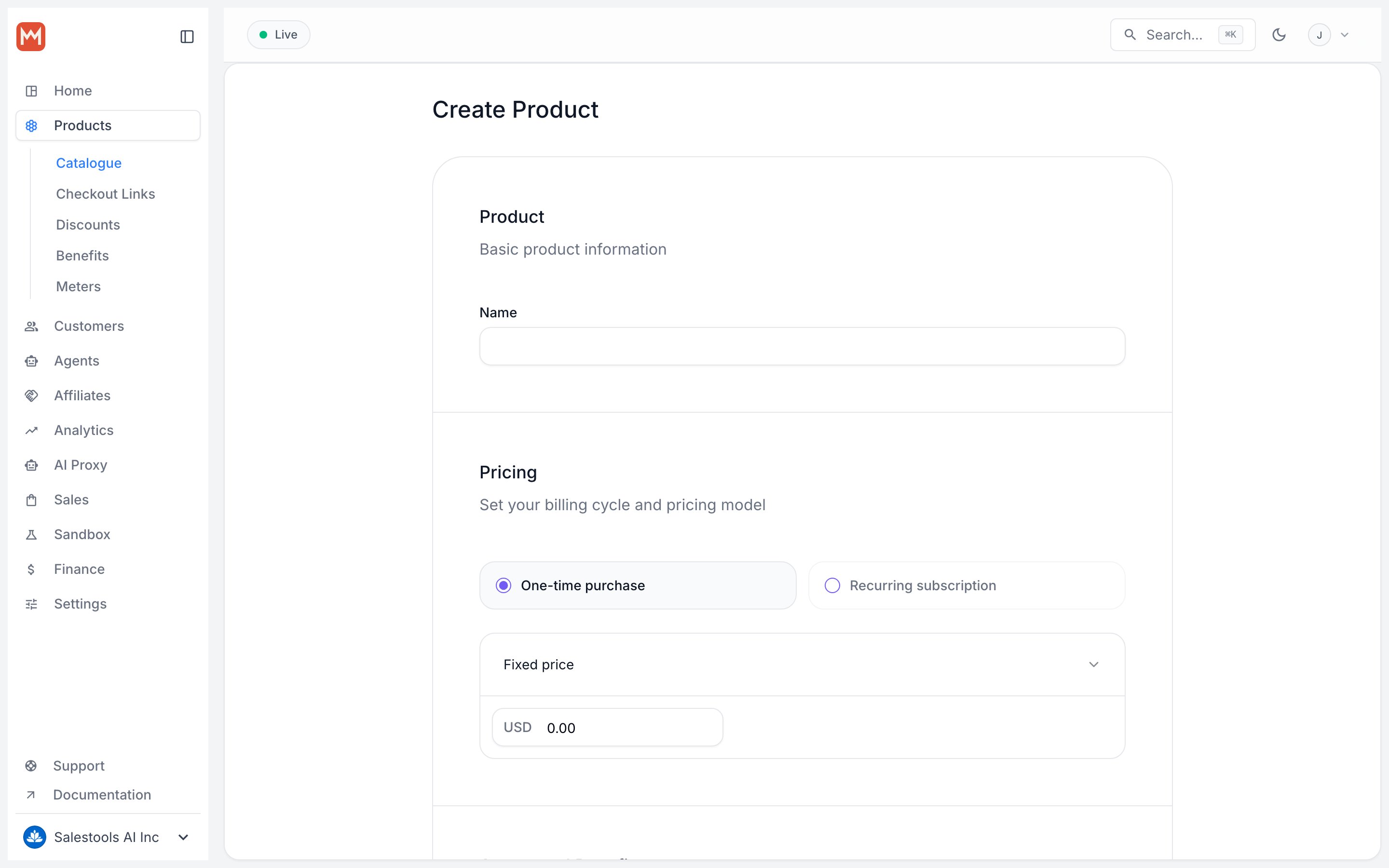
Create a product
Name and description
The essentials a customer sees first:- Name — the product title shown at checkout and in receipts.
- Description — supports Markdown, so headings, lists, and links all render.
Pricing
Pricing decides how a customer is charged. Work through it in order — a few of these choices are permanent, so the steps below flag what locks in.1
Billing cycle
- One-time purchase — charged once, access granted forever.
- Recurring — charged on a repeating interval:
- Daily, Weekly, Monthly, or Yearly for the common cases.
- Custom intervals such as “every 2 weeks” or “every 3 months” when you need them.
2
Pricing type
- Fixed price — one set amount.
- Pay what you want — the customer chooses the amount.
- Free — no charge.
3
Price
For fixed price products, enter the amount to charge.For pay what you want products, set a minimum and a default — the default is pre-filled on the checkout form, and the customer can adjust up from there.
4
Multiple payment currencies
Private Beta FeatureMultiple payment currencies is currently available as a private beta feature. Contact support to enable it for your organization.
- Default payment currency — your organization’s fallback currency.
- Additional currencies — add any from the supported list below.
- Identical price structure — the price type and any metered prices must match exactly across every currency.
Supported payment currencies
Supported payment currencies
Trial period
Recurring products can start with a trial during which the customer isn’t charged. Toggle Enable trial period, then set a duration as a number plus a unit — days, weeks, months, or years. For the full picture of how trials convert and what happens at the end, see the trials guide.Product media
- Upload public images shown on the product page and at checkout.
- Each image can be up to 10MB.
- Reorder or remove images at any time.
Checkout fields
Collect extra information during checkout — a phone number, a VAT ID, or an explicit agreement to your terms.
Whatever you collect is attached to the resulting order and subscription, so it’s available wherever you read those records.
Automated entitlements
Attach Benefits to a product and they’re granted automatically on purchase — and revoked automatically when access ends. Built-in benefits cover the common digital-product needs:- License keys
- Discord server role
- GitHub repository access
- File downloads
- Custom benefit
Variants, the Macropay way
Most billing platforms model a “monthly vs. yearly” choice as variants inside one product. Macropay doesn’t — and that’s deliberate. Bundling several prices and benefit sets under a single object complicates both the dashboard and the API. Instead, each product carries exactly one pricing model and one set of benefits. To offer alternatives, you create separate products and present them side by side at checkout, where the customer can switch between them. A classic setup is a monthly product and a yearly product, each with its own price and perks. Wire them together with checkout links or the Checkout Session API.Update a product
You can edit most details of a live product. The permanent fields — billing cycle and pricing type — stay fixed, but everything around them is fair game:- Price — for fixed-price products, change the amount. Existing subscribers keep the price they signed up at; the new price applies to new purchases.
- Benefits — add one and current subscribers receive it automatically; remove one and they lose access automatically.
Archive a product
Products are never deleted on Macropay — they’re archived. Click Archive at the bottom right of the product page. After archiving:- Existing customers keep their access.
- Active subscriptions keep renewing.
- The product is hidden from new purchases.