

What you can sell
GitHub repository access is delivered as a benefit (entitlement) attached to any product — one-time or subscription:- Subscriptions → access granted on first payment, revoked the moment the subscription ends.
- One-time products → buy once, keep collaborator access for life.
- Multiple repos → attach several GitHub benefits to one product to bundle repositories from your organization(s).
Create the benefit
1
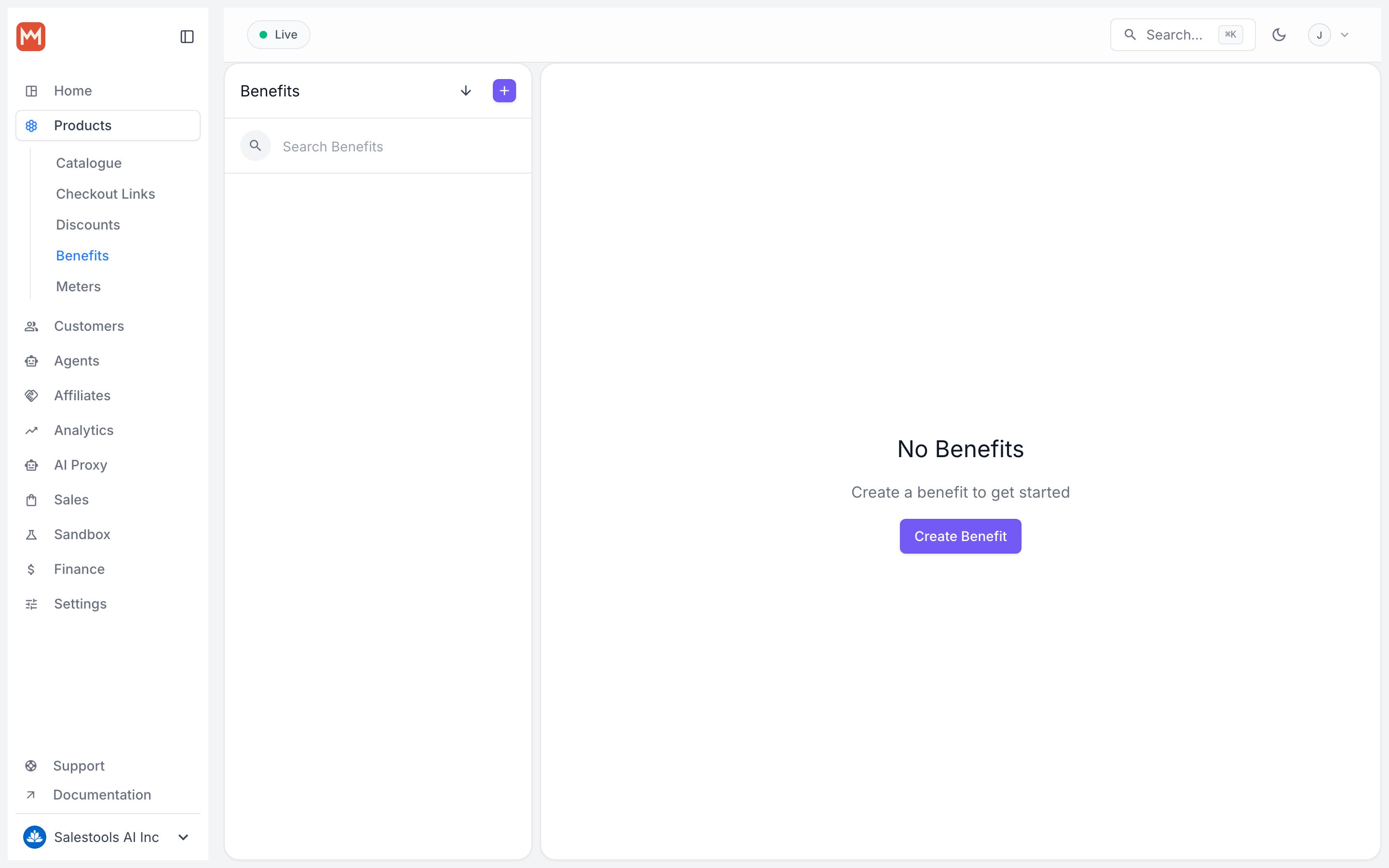
Open Benefits
In the dashboard sidebar, go to Benefits and click + New Benefit.
2
Choose the type
Set Type to GitHub Repository Access.
3
Connect your GitHub account
Click Connect your GitHub Account and install the dedicated Macropay GitHub App on the repositories you want to automate. After authorizing, you’re returned to the benefit form, now connected.
4
Pick the repository and role
Select the organization repository and the collaborator role to grant. Save, then attach the benefit to a product.
Why connect GitHub a second time and install a separate app?Inviting collaborators requires permission to manage repository access — a sensitive scope. GitHub Apps can’t request permissions progressively, so rather than ask every user for repo-management rights during normal GitHub login, this feature ships as a standalone app you install only on the repos you actually sell.
Choose a repository
Pick the organization repository you want to automate invites for.Why organization repos only — not personal ones?GitHub doesn’t offer granular collaborator permissions on personal repositories; every collaborator effectively gets write access, meaning they could push commits and cut releases. To keep your code safe, personal repos are off by default. Need it anyway? Reach out and we can enable it for your account.
Choose a role
Select the access level granted to each collaborator:
Anything above Read is discouraged unless you have a specific need and fully understand the impact. See the GitHub role reference for the exact permissions behind each role.
Even with Read access, a collaborator can open a pull request (details).